Skip to content

Explainer video maker

Turn your brief into a finished explainer video

Say what the video should explain, who it's for and about how long. Vividemo writes the script, records the narration, builds the scenes and edits the video. Ask for changes in the same chat.

The agent talks the video through with you first. Sign up when you want it made: new accounts get 500 free credits.

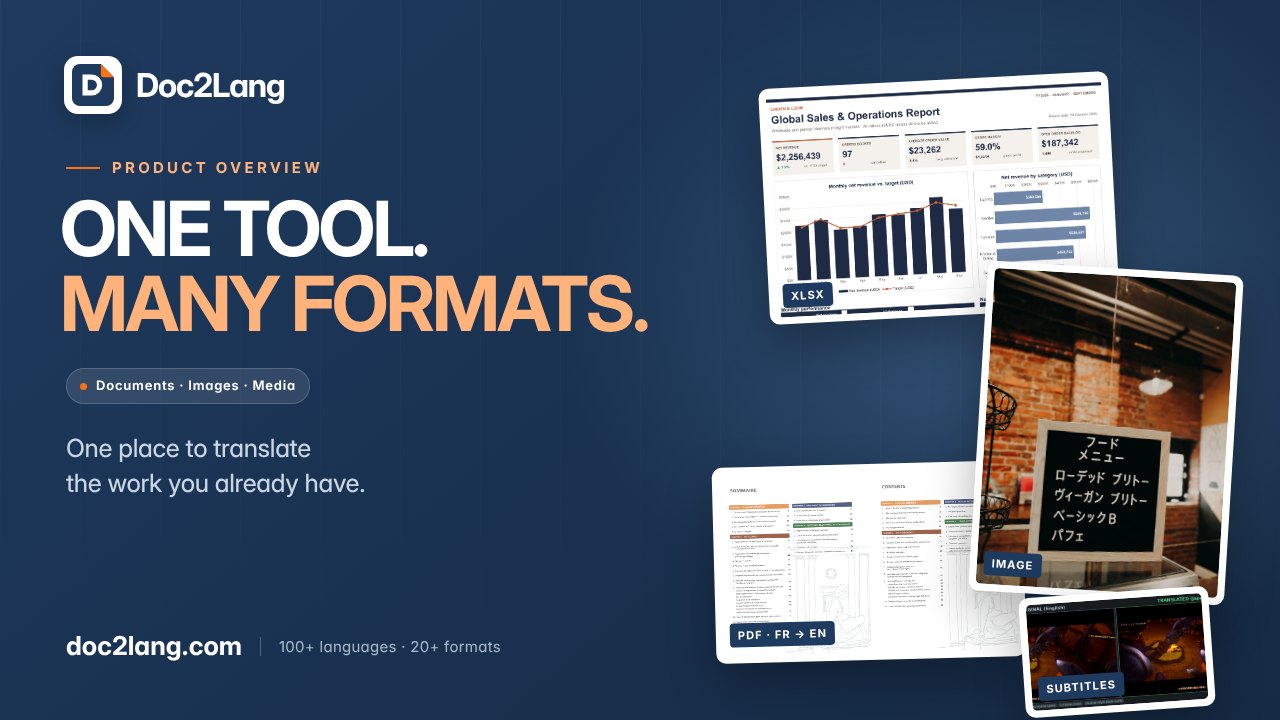
The cover of Doc2Lang's product explainer: “One tool. Many formats.” beside real samples labeled XLSX, PDF FR → EN, Image and Subtitles.

1:17 · 1920 × 1080 · narrated, subtitled

What the 77 seconds cover

Say what it is, show what it does, show how to start.

  1. What Doc2Lang is0 to 10 seconds
  2. Office files10 to 20 seconds
  3. PDFs and scans20 to 30 seconds
  4. Books, web pages30 to 37 seconds
  5. Images37 to 44 seconds
  6. Video, subtitles44 to 55 seconds
  7. How to start55 to 77 seconds
Started from
A detailed brief
and real samples from the product's site
Brief to first cut
51 minutes
agent time, with four short notes on the way
One round of changes
17 minutes
three notes, one new version
Credits, both rounds
145
126 for the first cut, 19 for the changes

About this example: Doc2Lang is a real translation product, and the brief asked for real samples from its website. See the full case study

What an explainer video is

A short video that makes one product, service or idea clear. It names the problem or the question, gives the answer, shows how it works and says what to do next. Most run from 60 seconds to 2 minutes, with narration over animation, screens or footage.

Length
60 seconds to 2 minutes. Ours run 56 seconds to 2 minutes.
Script
About 150 words of narration per minute.
Shape
Problem or question → answer → how it works → next step. See it second by second

One project, start to finish

From a detailed brief to a finished explainer

The Doc2Lang video above, as it happened: what the brief asked for, what came back, the three notes on the first cut and what each round cost.

  1. 1 · The brief

    • Who it's for: people meeting Doc2Lang for the first time
    • About 75 seconds, 16:9, English narration and subtitles
    • Six groups of file types, each labeled on screen
    • Real before-and-after samples from doc2lang.com, no invented product results
    • No claims of perfect accuracy, no made-up speed, prices or reviews
    • A suggested beat sheet and a draft of the narration
  2. 2 · First cut

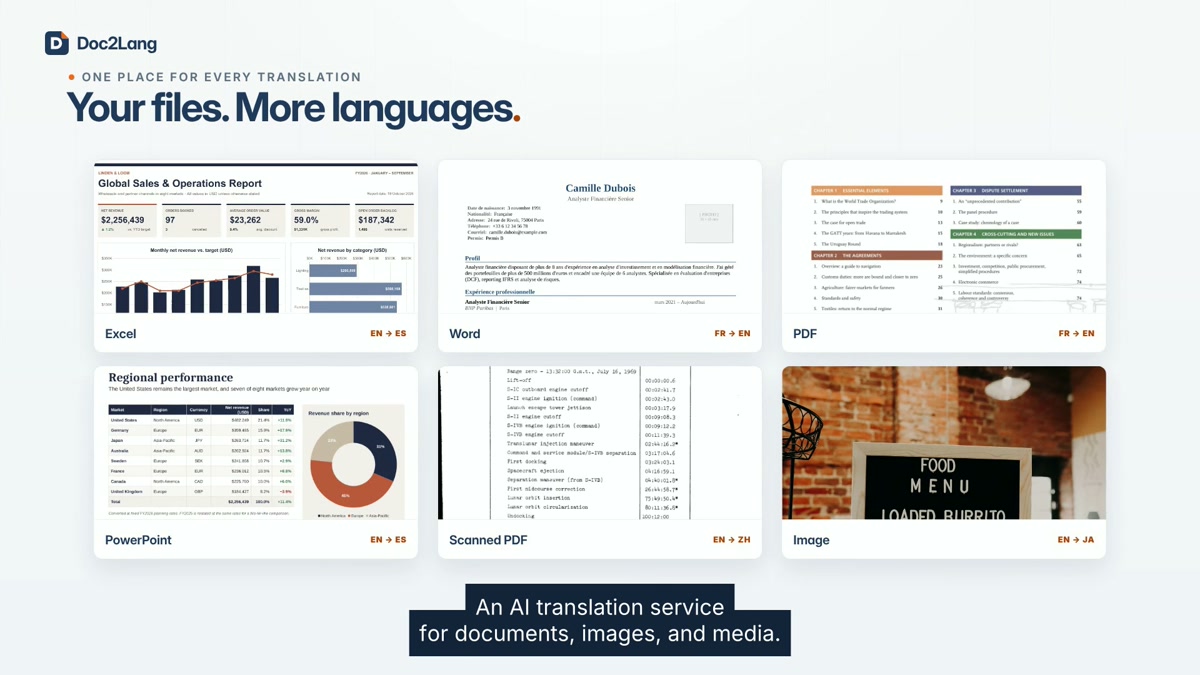
    Six real Doc2Lang samples for Excel, Word, PDF, PowerPoint, scanned PDF and image translation, below “Your files. More languages.”

    The agent read the site, picked real samples for each file type, tightened the draft narration and recorded it, added music and subtitles, and edited the cut. Four short notes went in while it worked, such as the cover title.

    • 51 minutes
    • 126 credits
  3. 3 · Three notes, one new version

    1. Say what Doc2Lang is before the first example.
    2. The six sample cards look stretched. Keep each at its own shape.
    3. Swap the Word sample for a cleaner real one. Clean renders of the site's French résumé and its English translation went in with the note.
    • 17 minutes
    • 19 credits
    • old version kept
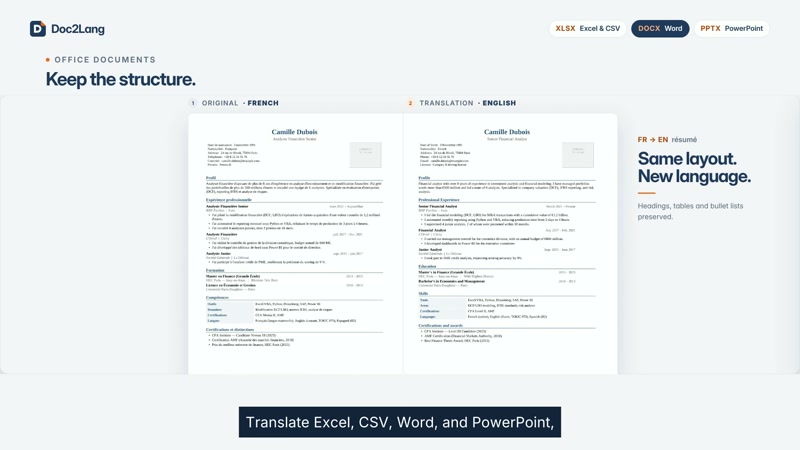
French and English versions of a résumé side by side, showing the same headings, tables and bullet lists.
0:16 The new Word sample, French to English
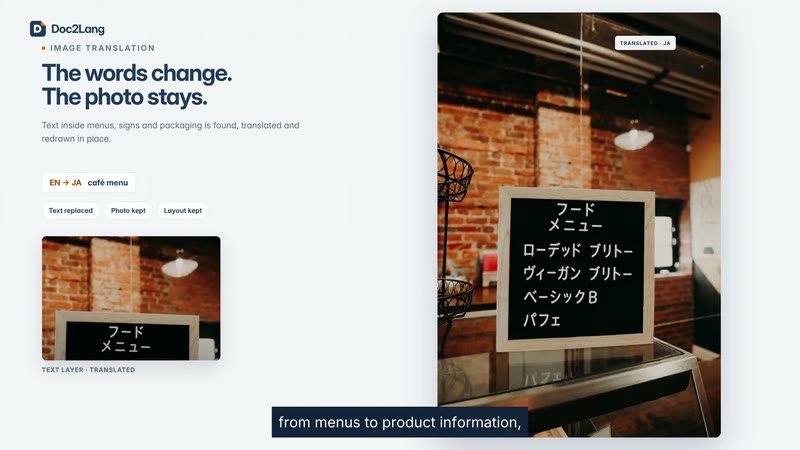
Doc2Lang’s image translation example with Japanese text on a café menu and the heading “The words change. The photo stays.”
0:40 Image translation on a real menu sample
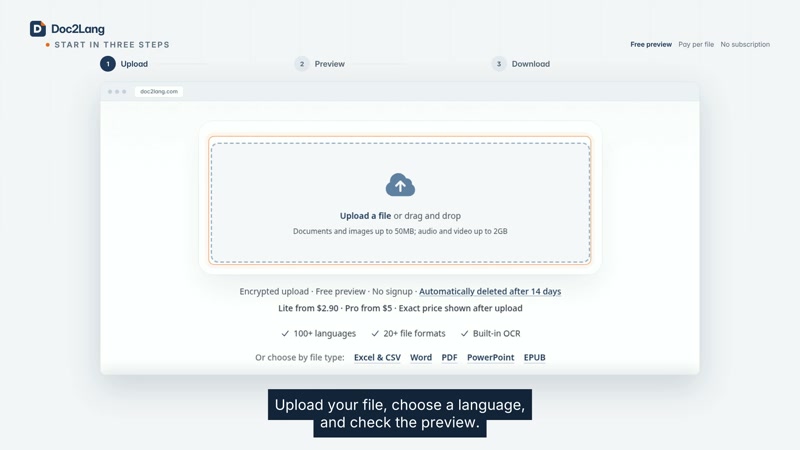
Doc2Lang’s upload screen beneath the three steps Upload, Preview and Download, with English subtitles below.
1:00 The product's real upload screen

The structure, second by second

Two finished explainers, one about a product and one about an idea. Each part is timed from the video itself.

A product: Doc2Lang

77 seconds
  1. 0:00–0:10

    What it is. “AI translation for documents, images and media,” before any example.

  2. 0:10–0:55

    What it does. Six kinds of files, each with a real before and after: office files, PDFs and scans, books and web pages, images, video and subtitles.

  3. 0:55–1:17

    How to start. Languages, then upload, preview and download on the real screen, and the web address.
An idea: why astronauts float

60 seconds
  1. 0:00–0:07

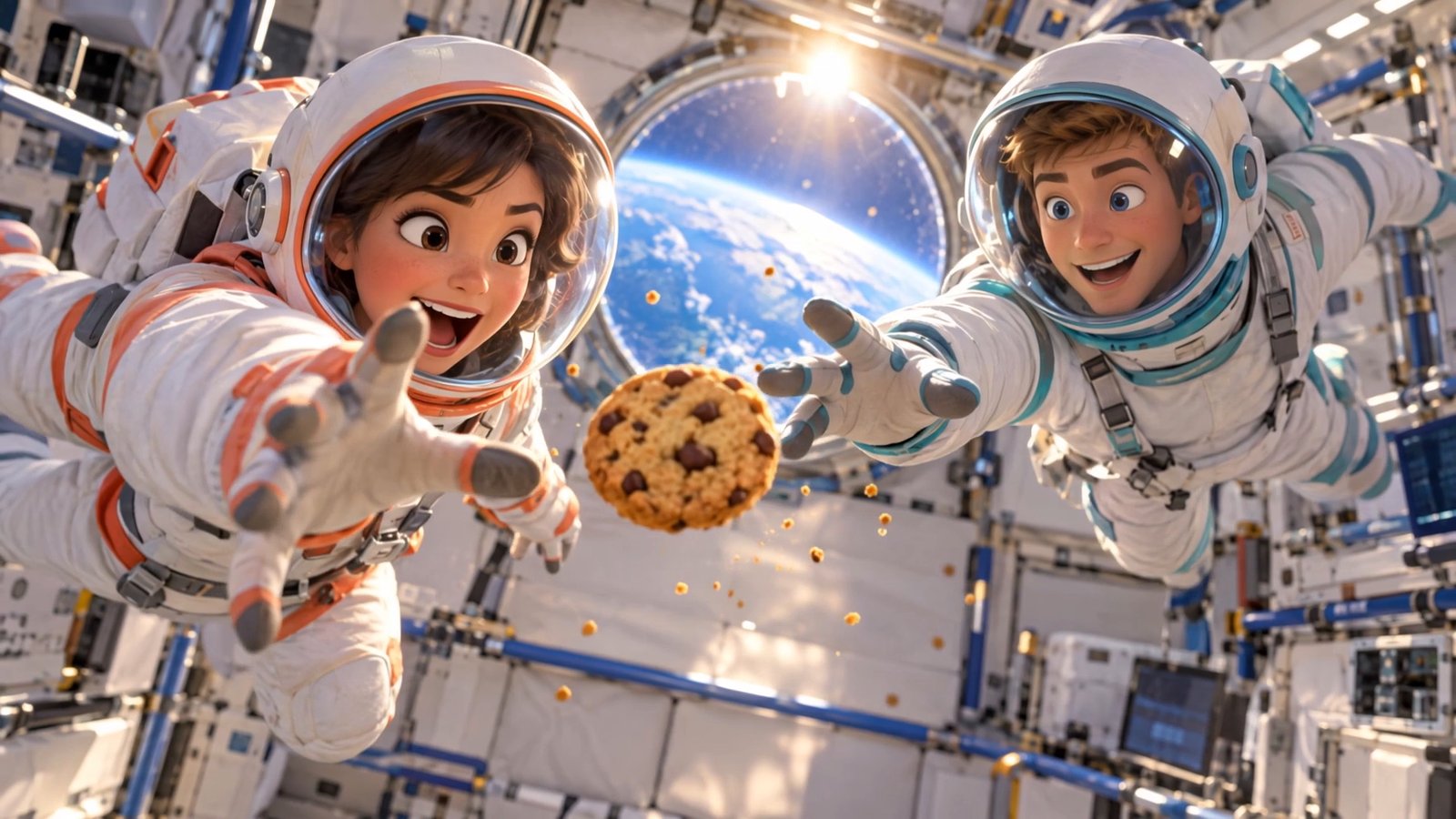
    Hook. Two astronauts lunge for a floating cookie and miss.

  2. 0:07–0:12

    The question. “Why do astronauts float?”

  3. 0:12–0:47

    The answer, in three steps. Gravity is still there, everything falls together, and orbit is a fall that never lands.

  4. 0:47–0:55

    Back to the story. The cookie gets caught, and the narrator sums up in one line.

  5. 0:55–1:00

    Source. The NASA guide it came from.

Four explainers, four starting points

Each one shows what went in and, where we have it, what it cost.

  • The cover of Doc2Lang's product explainer: “One tool. Many formats.” beside real samples labeled XLSX, PDF FR → EN, Image and Subtitles.

    Real product screens

    Doc2Lang product overview

    Started from a detailed brief and the samples on the product's site.

    • 1:17
    • 51 + 17 minutes
    • 145 credits
  • Two cartoon astronauts reach for a floating chocolate chip cookie inside a space station, with Earth in the window behind them.

    3D scenes, animated diagrams

    Why astronauts float

    Started from a 176-page NASA teacher's guide and one message: “Turn this NASA PDF into a 60-second video explaining why astronauts float in space…”

    • 1:00
    • 34 minutes
    • 740 credits, 611 of them for two 3D shots
  • Clean whiteboard, from one sentence

    How to find the mean

    The whole request: “Make a short video teaching how to find the mean. Use a simple example like 3, 5, 7, 9, 6. Show adding the numbers up, then dividing by how many numbers there are, step by step. Friendly voiceover, clean whiteboard style, about 1 minute.”

    Handwritten-style lettering on a white board, written out step by step. No drawn pictures.

    • 0:56
    • 9 minutes
    • 285 credits
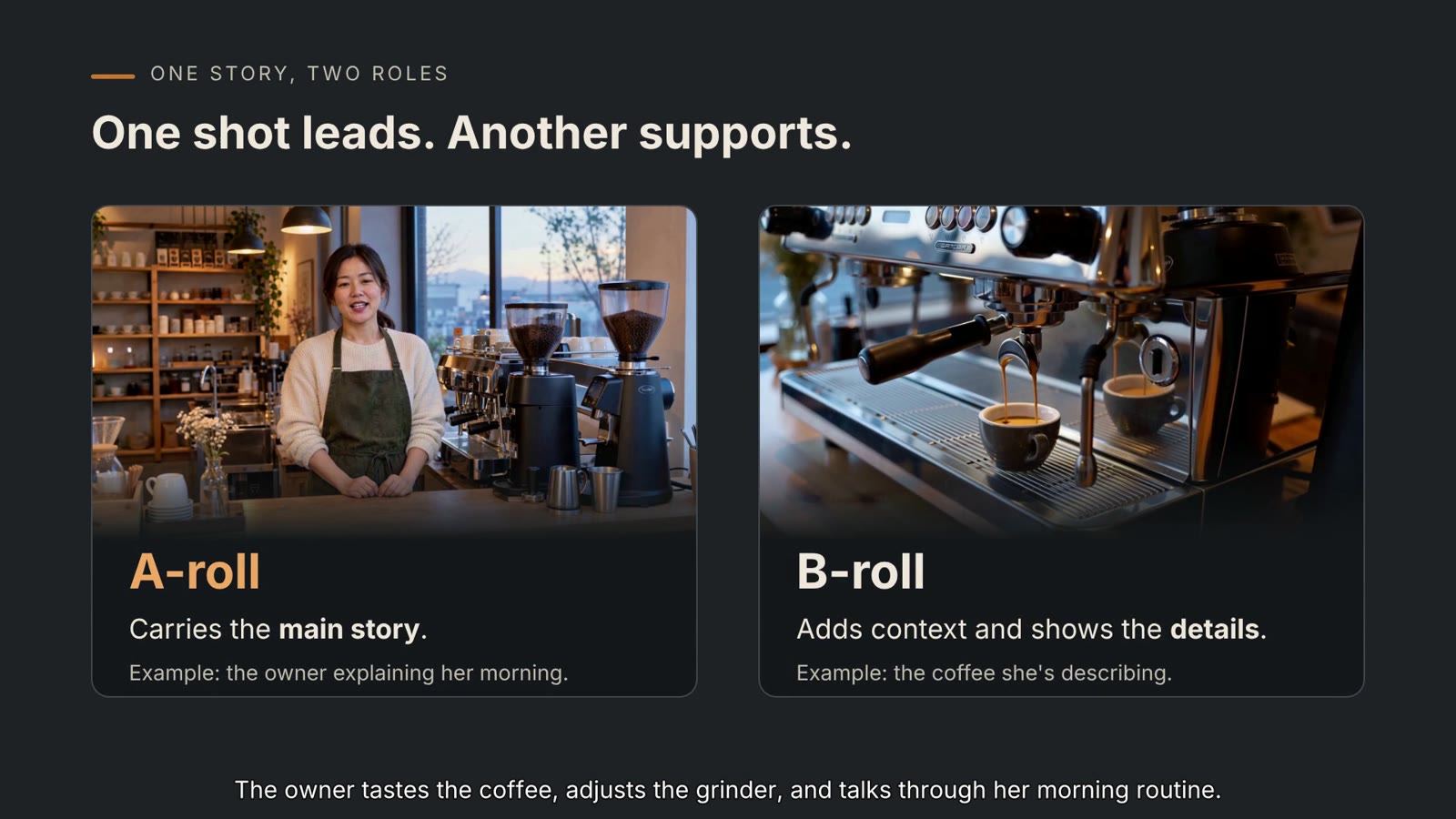
  • A slide from the B-roll explainer, “One shot leads. Another supports.”: an A-roll shot of a café owner talking, next to a B-roll shot of espresso pouring.

    An article, with scenes for each idea

    An article about B-roll

    Started from a 720-word article. Each idea in it got its own scene.

How to make an explainer video with AI

  1. Say what it should explain

    One sentence is enough to start, as the whiteboard lesson shows; the Doc2Lang video started from a detailed brief. Add product screens, a PDF or an article if you have them.

  2. The agent makes it

    It writes the script, records the narration, builds each scene, adds music and subtitles, and edits the video.

  3. Watch it, then reply

    Write what to change. Doc2Lang's three notes came back as a new version in 17 minutes, with the old one kept.

What it costs

The explainers on this page, as billed

Doc2Lang, first cut
126
Doc2Lang, three notes
19
Whiteboard lesson
285
Astronauts, with two 3D shots
740
Doc2Lang, both rounds
145 credits ≈ $1.45

Credits are metered usage, not a fixed price: the agent model, the voice, the music and any generated footage each add to the bill. New accounts get 500 free credits once their email is verified: enough for the Doc2Lang video or the whiteboard lesson, not the astronaut video with its 3D shots. Exported videos have no watermark. What video production costs

A studio, or this?

A UK animation studio's published price and timeline, next to the Doc2Lang video made on Vividemo
A UK animation studioDoc2Lang on Vividemo
£3,000–8,000 for a 60-second 2D animation145 credits for 77 seconds, two rounds
4–8 weeks from agreed brief to delivery51 + 17 minutes of agent time, including one round of changes

The studio figures are Educational Voice's own; explainly puts production at “6 to 8 weeks”. Both as we read them on . A studio assigns people to script, design and review it with you; here you brief the agent and review it yourself.

How long should it be? Most guides say 60 seconds to 2 minutes. Ours run 56 seconds to 2 minutes; ask for a length and the agent writes to it.

Who makes explainers here

Working in Claude or ChatGPT? Connect Vividemo and ask for the explainer in the chat you already use.

Set up the MCP server

Explainer video FAQ

What is an explainer video?

A short video, usually 60 seconds to 2 minutes, that makes one product, service or idea clear: the problem, the answer, how it works and what to do next.

How much does an explainer video cost?

One UK studio quotes £3,000–8,000 for a 60-second 2D animation. The Doc2Lang video here used 145 credits, about $1.45, across two rounds. See every bill

How long should an explainer video be?

60 seconds to 2 minutes is the usual range, at about 150 words of narration a minute. Say the length you want in your request.

How do I make an explainer video with AI?

Say what it should explain and who it's for, add any screens or documents, then reply with changes. The three steps

Can ChatGPT create explainer videos?

Connect Vividemo to ChatGPT or Claude and ask for the explainer from the chat. Set it up

Can I change the video after it's made?

Yes. Write what to change in the same chat. Doc2Lang's three notes took 17 minutes and 19 credits, and the old version was kept.

What can I start from?

One sentence, a detailed brief, a PDF or an article: the four explainers on this page started from one each. You can attach screenshots or documents to any request.

Is it free?

You can write your brief and plan the video with the agent without signing up. There's no free plan, but new accounts get 500 free credits once their email is verified. The Doc2Lang video used 145 and the whiteboard lesson 285, and exported videos have no watermark.

Which AI is best for explainer videos?

Pick by what you start from and how much you want to do yourself. To place every element by hand, use a template editor. To hand over a brief, a document or one sentence and review the result, use an agent like Vividemo: the four videos here started from those.

How is an explainer different from a product demo?

An explainer says why something matters and how it works in broad strokes. A demo walks through the product step by step. Doc2Lang's video is an explainer that ends on the real upload screen.

Turn your brief into an explainer video

Say what it should explain, watch the first cut, and reply with what to change.