The task
The goal: viewers with no editing background should finish the video able to explain that A-roll and B-roll describe a shot's job, not whether someone is on camera, and have a simple way to choose, place, and check supporting shots.
The source was an article written for creators, not a script. Vividemo's job was to turn it into something a viewer could follow by watching.
The article we started with
The source article uses a coffee shop's morning routine to explain B-roll. It moves from the relationship between A-roll and B-roll to shot selection, timing, and the use of supporting footage across an edit.
We uploaded the article as a Markdown file and added one line of instructions: make a video that explains what the article teaches. We supplied no script, no footage, and no audio.
Read the full source article
How B-Roll Helps Viewers See the Story
Imagine watching a short introduction to a coffee shop. Standing behind the counter, the owner says, “Before we open each morning, we taste the coffee and make adjustments until we’re happy with it.”
If the camera stays on the owner’s face, you understand the sentence, but you don’t see what that morning routine involves. Now imagine the voice continues while the picture changes: beans tumble into a grinder, espresso flows into a cup, the owner takes a sip and adjusts the grind setting, and someone opens the shop door.
The words stay the same. The viewer now sees the actions, details, and surroundings that give those words meaning. This supporting footage is one common use of B-roll.
How A-Roll and B-Roll Work Together
A-roll usually carries the main story or information. B-roll adds supporting context. In the coffee shop introduction, the owner’s explanation provides the main thread, while shots of the morning routine help viewers follow it.
The distinction depends on what a shot does within a particular video. A close-up of grinding beans might be B-roll in an interview with the owner. In a tutorial demonstrating how to adjust a grinder, that same shot could carry the main instruction. Whether someone is speaking on camera does not, by itself, determine the shot’s role.
Choose Shots That Answer a Question
When selecting B-roll, start with three questions: Where are we? What is happening? Which detail deserves attention?
An establishing shot answers the first question. The storefront in the morning, empty tables, or lights coming on above the counter can place the story before opening time.
An action shot answers the second. Pouring beans into the grinder and starting the machine turns the general idea of “making coffee” into a visible process.
A detail shot answers the third. The owner takes a sip, then turns the grinder’s adjustment dial. That small movement connects directly to the explanation about making adjustments.
Setting, action, and detail give you a useful way to choose footage. They are not a requirement to insert three shots into every passage. Once viewers have the information they need, you can return to the main subject or move the story forward.
Let the Pictures Follow the Meaning
Choosing the footage is only part of the job. Its placement matters too.
As the owner says “before we open,” show the storefront in the morning. When the owner mentions tasting the coffee, show the sip. When the explanation turns to adjustments, show the grinder dial. The voice remains continuous while each picture contributes something relevant.
You don’t need a new shot for every word. Give viewers enough time to recognise an action and notice the detail that matters. A change in meaning, the completion of an action, or a shift in emphasis can all suggest a useful place to cut.
Use B-Roll to Connect an Edit
Suppose the owner pauses for a long time between two sentences. Removing the pause may create a sudden change in posture or hand position. You can place a relevant shot of coffee preparation over that edit, keep the speech flowing, and then return to the owner.
The supporting footage helps connect the two moments visually. The audio still needs to sound natural, and the edit should preserve what the owner meant.
Give Every Shot a Purpose
A slow-motion splash of milk may look impressive. But if the owner is explaining how the grind is adjusted, a close-up of the adjustment may help viewers understand more.
Before adding a shot, decide what it contributes. It might clarify the location, reveal an action, show a reaction, or establish the mood. Then consider how its composition, movement, and length can serve that purpose.
One useful check is to remove the shot temporarily. What does the viewer lose? If the answer is neither information nor a meaningful change in rhythm or feeling, reconsider whether the shot belongs.
Start with a short explanation and add a few purposeful shots. Compare the versions. Is the process easier to follow? Are the important details visible? Does the viewer have enough time to understand each image?
B-roll earns its place when the pictures and the main story work together. Viewers hear what is happening and see the details that help them understand it.
How the article became a story
Instead of reading the article aloud, the script keeps its five ideas and rebuilds them around a single example. A coffee shop getting ready to open runs through every section, so each new idea arrives with something to look at. The video starts with the question a viewer would actually have, and ends with a five-step checklist they can use on their own edit.
| Section | Time | What it does |
|---|---|---|
| Opening question | 0:00–0:10 | Names the two terms a viewer may have heard, asks what they mean, and promises a coffee shop example. |
| The terms, by example | 0:10–0:31 | The owner's explanation is the main story; the coffee-making shots support it. One grinder close-up shows that a shot's role depends on its job. |
| Three questions | 0:31–0:50 | Where are we? What's happening? Which detail matters? Each question is answered by a shot from the shop. |
| Pictures follow meaning | 0:50–1:12 | Words are paired with pictures, an unbroken shot gives an action time to register, and three moments show where to cut. |
| Covering an edit | 1:12–1:28 | A timeline shows a hard cut, then a coffee shot covers the seam before the video returns to the owner. |
| A purpose for every shot | 1:28–1:45 | Four jobs a shot can do, and one test: what does the viewer lose if it's removed? |
| Closing | 1:45–1:54 | The shop opens its doors, and a five-step checklist sums up the method. |
The script keeps the article's key qualification in the narration: “A shot's role depends on its job, not whether someone is on camera.” A-roll is never reduced to “the shots where someone talks.”
The video alternates two kinds of material. Short explanation slides introduce each idea with stills from the shop, and the generated footage then shows it in motion. One shot appears twice on purpose: beans going into the grinder first set the morning scene, then return as the answer to “What's happening?”
From source text to scenes
Three ideas from the article, and the frames that carry them in the finished video.
A shot's role depends on its job
Narration: “The same grinder close-up can be B-roll in an interview and the main shot in a tutorial.”
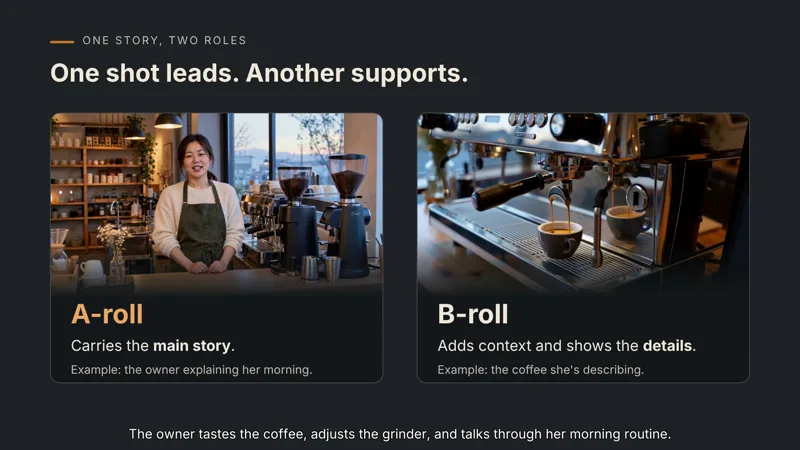 0:14
0:14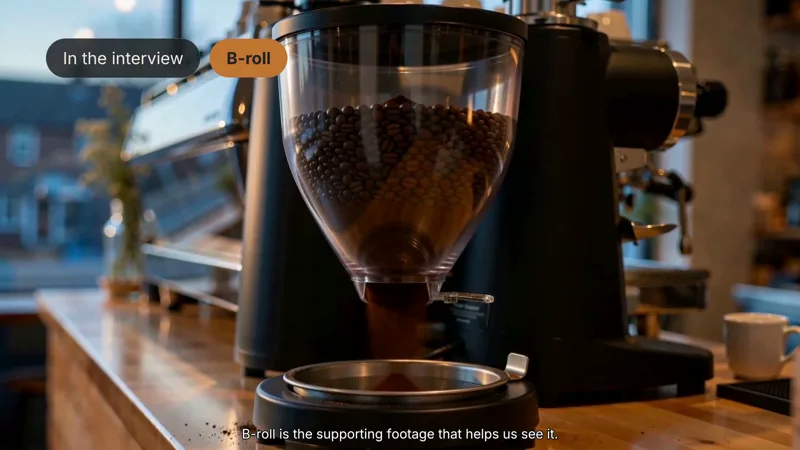 0:19
0:19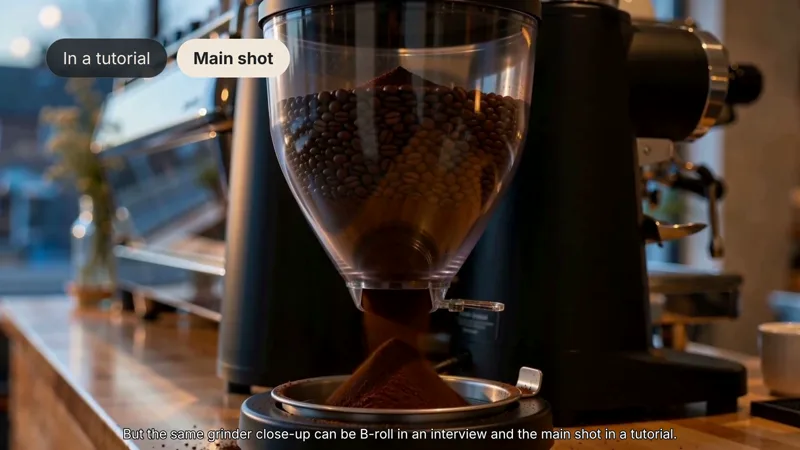 0:23
0:23
The same grinder close-up is labeled twice, so viewers see that a shot's role changes with the video it's in.
Choose B-roll with three questions
Narration: “Where are we? What's happening? Which detail matters?”
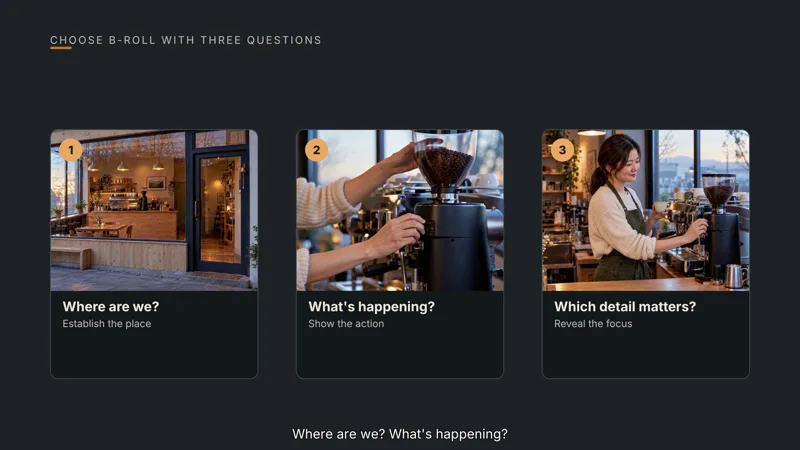 0:35
0:35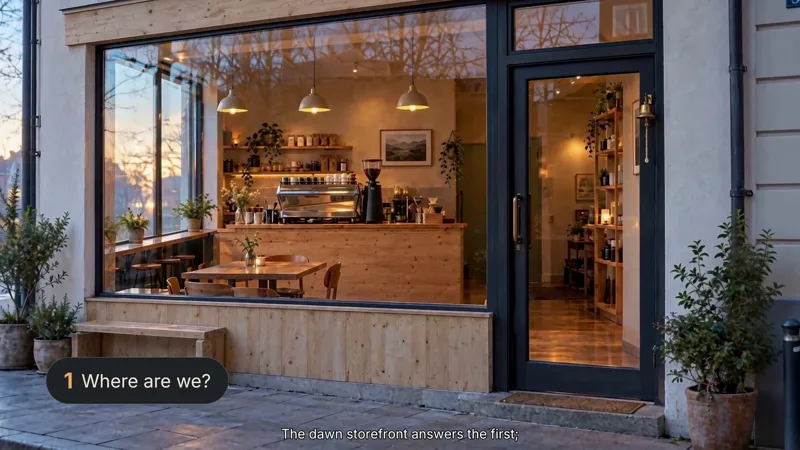 0:40
0:40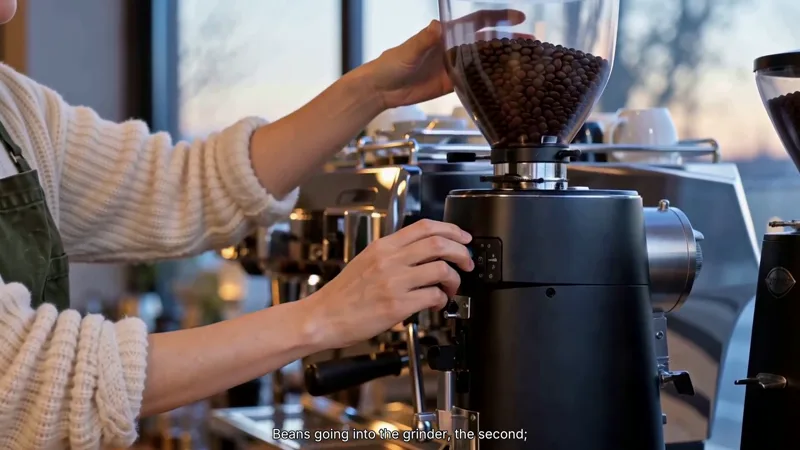 0:42
0:42
The slide asks all three questions, then the video answers them one shot at a time, starting with the setting and the action.
B-roll can cover an edit
Narration: “Lay a relevant coffee shot over the seam, let the sentence finish, then cut back.”
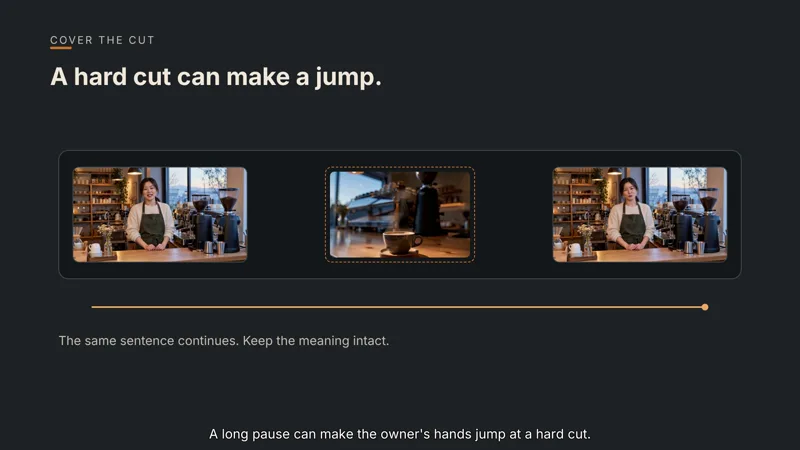 1:15
1:15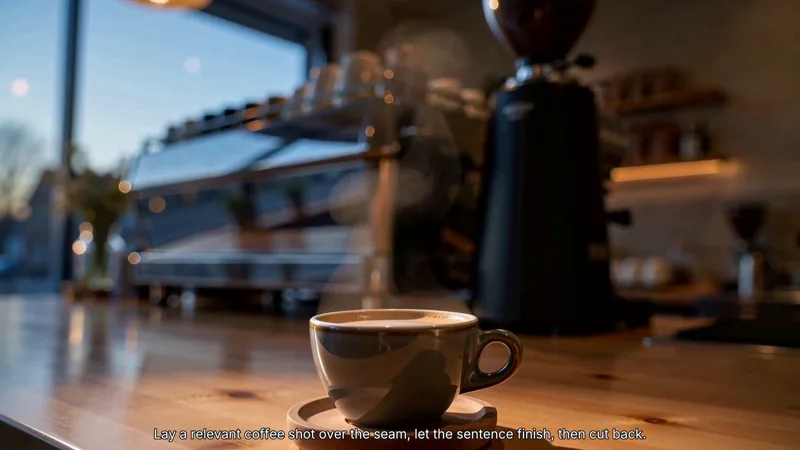 1:20
1:20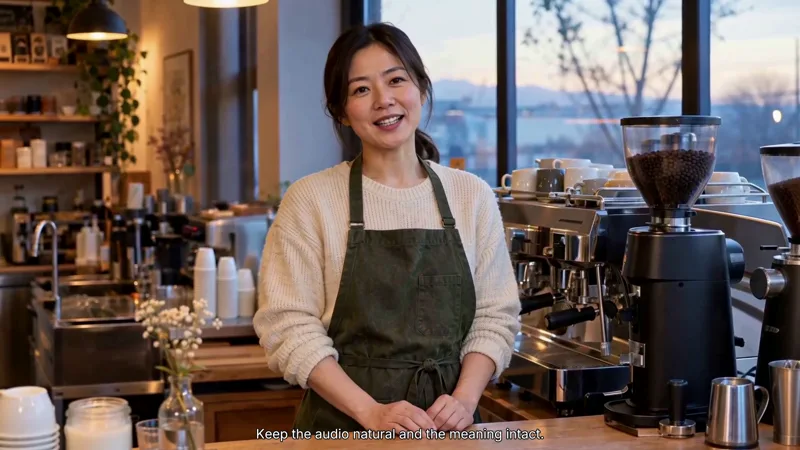 1:25
1:25
A diagram shows where the cut falls, then the edit plays out: supporting footage covers the seam while the sentence continues.
Making the explainer in Vividemo
We used Vividemo as an AI explainer video generator for an original educational article. From the article and a one-line request, Vividemo drafted a research brief and a visual direction: narration, a recurring coffee shop example, and graphics for the comparisons.
After each step, we reviewed the plan before it moved on: the brief and format, the visual direction and the look of the owner and the shop, the script, a storyboard of every shot, each generated clip, and each finished version. When a generated clip had a flaw, such as a cup that appeared in the owner's hand from nowhere, Vividemo described the problem and we chose whether to trim it or regenerate it. We regenerated it with a simpler action.
One round of feedback that changed the story
Our first cut jumped straight into the terms. We asked for an opening that starts where a viewer would: having heard “A-roll” and “B-roll” without knowing what they mean. Vividemo rewrote the script around that question and rebuilt the explanation slides to pair each idea with a frame from the coffee shop footage.
First cut
Same close-up of grinding beans. In the owner's interview it's B-roll. In a tutorial on dialing in a grinder, it's the main shot. Why?
Finished video
In video editing, you'll hear terms like A-roll and B-roll. What do they mean? Let's use a coffee shop getting ready to open to find out.
We also asked for slides with more detail and clearer emphasis. They were redesigned with a consistent layout, key words in bold, and an example on each slide, and their motion was simplified to one gentle fade and rise.
Start with your own article
Have an article you want to explain on screen? Start with your source material and tell Vividemo who the video is for and what viewers should understand by the end.
For teams choosing an explainer video maker, this example offers a way to evaluate the result: compare the source ideas with the story and scenes in the finished video.
The coffee shop and its owner are fictional. All footage was generated in Vividemo for this example.