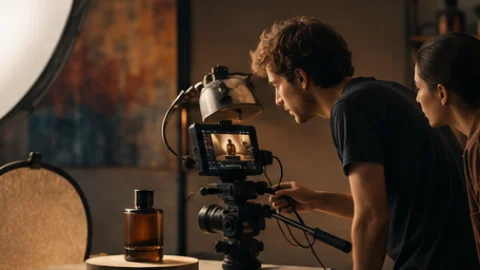
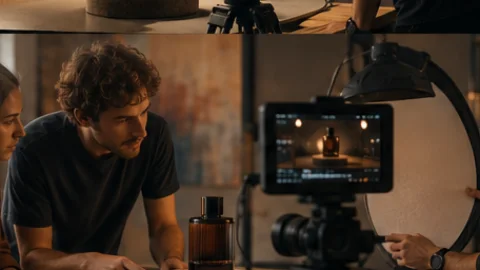
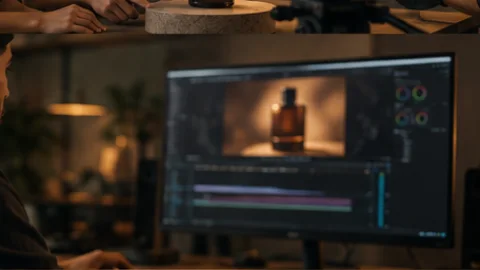
Its own computer, every project
Each project runs on a dedicated machine in the cloud, never shared with another project or customer. The agent works there the way an editor works at a workstation.
AI video maker
Turn your idea into a finished video without managing every step yourself. Vividemo handles the script, visuals, voiceover and editing. You guide the story, review key decisions and refine the result through conversation.
Product demos, explainers and marketing videos — for product teams, marketers and founders who need a finished video, not a clip.
A product photo becomes a finished film for SLOWDAY, a fictional coffee brand.
How it was madeA document explained through footage, animation and English subtitles.
A brief, a script, product photos, a product URL, a document or footage you already shot.
Describe the video or paste a script. Vividemo plans it, shows you a rough cut, then produces every shot.
Watch a project startTurn product photos or stills into moving shots, then into a finished film with narration and music.
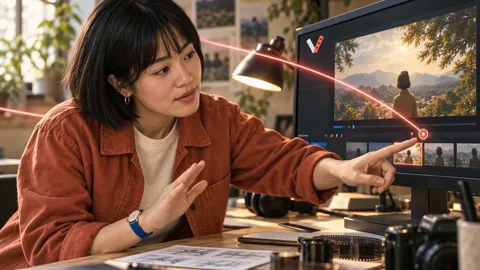
One product photo, one adBring footage or a screen recording. Vividemo cuts it with highlights, narration and captions — and you revise by saying what to change, not by dragging a timeline.
How revisions workAnimated diagrams, titles, charts and motion graphics for the ideas footage cannot show — coded and rendered to video, so text stays crisp.
See the animation in an explainerYou can also start from a product URL — Vividemo opens your site and takes your brand colors, type and logo — or turn a deck or an article into an explainer video.
Follow a project from the first brief through creative review, then explore a finished video and learn how credits work.
Rough cut first. You confirm before paid video.
Waits for your reply before paid video, a presenter or a browser recording. After delivery, say what to change.
Every project gets its own computer in the cloud. Vividemo’s AI video agent works there like an editor at a workstation — writing code, driving a real browser, cutting with FFmpeg — and checks with you before generating paid video.
Models from Google, OpenAI, ByteDance, MiniMax, Kuaishou, Alibaba, ElevenLabs, Black Forest Labs, Ideogram and Recraft.
Each project runs on a dedicated machine in the cloud, never shared with another project or customer. The agent works there the way an editor works at a workstation.
Titles, charts and product animations are coded and rendered to video, so text stays crisp. Hard camera moves get a simple 3D reference first, and cuts are scripted with FFmpeg, exact to the frame.
It opens your site in a real browser, captures the screens and, with your OK, records the actual flow. Brand colors, type and logo are measured from your URL, not guessed.
Reachable only through short-lived links scoped to your project, never used to train Vividemo’s models, and kept for 30 days after your last activity before they are cleaned up.
An AI video editor you talk to: describe what to change, the way you would tell an editor. The agent redoes only what you pointed at; everything else stays as it was.
Redoing shots 3 and 7 only. The other six stay as they are — I’ll show you the two new frames before re-cutting.
Before handing over the file, the agent watches the video and listens to the mix — the cuts between shots, subtitles against the spoken words — and checks size, frame rate, duration and audio against the plan. Anything off is fixed first, or comes to you with the exact time and what it saw.

renders/final.mp4
Product demo videos, explainer videos and marketing videos. Describe what you need; Vividemo explains how it will make it, in plain creative terms, before paid video generation starts.
Turn a brief or an article into an explainer video: narration, generated visuals and title cards.
Turn a product URL, screenshots or a brief into a video with your brand design, feature animation and narration.
An explainer or announcement delivered on camera by an authorized likeness or a generated persona.
A marketing or brand video built on your own footage; AI B-roll fills only the gaps your footage leaves.
A marketing video or launch teaser cut from your assets to a deliberate rhythm.
Product demo videos from a product URL, screenshots or a brief, with brand styling and feature animation; explainer videos from a brief or an article, with animation and motion graphics; presenter videos; marketing videos and launch teasers built on your own footage or assets; mood reels. Every project ends in one finished MP4 — narration, music and captions where the script calls for them — not a single generated clip.
Both. As an AI video generator it turns text, a script, images or a product URL into new shots, animation, narration and music. As an AI video editor it cuts your own footage and recordings, and you revise by saying what to change instead of working a timeline. Either way, every project ends in one finished video.
Yes. The project is saved every time the agent stops for you, so a job can take hours, pause for your reply and pick up where it left off. Length follows the plan, not a clip limit.
Yes. Attach recordings, decks, scripts, images or an article with your brief. Vividemo can turn your screen recording into a walkthrough with editing, highlights, narration and captions. With a product URL or screenshots, it can build a video from your brand design and sourced visuals. Vividemo records a website only when you explicitly ask for it or approve a specific recording plan.
You brief it the way you would brief an editor. It explains how it plans to make the video, makes the inexpensive parts first — script, voiceover, animated screens — and shows you a rough cut. Before paid video generation, a presenter or a browser recording, it confirms the direction with you. Then it produces the shots, saves the finished video to your project with a record of where each file came from, and hands it over. It chooses the models as it plans, keeping any model you ask for when it fits, and you revise by saying what to change.
Vividemo chooses a model for each shot while planning, and keeps a model you ask for when it fits. It can use H3 Max, Veo 3.1 Fast, Kling 4.0, Hailuo 02, Seedance 2.5 for video; GPT Image 2.5 (Flare and Sunburst), Seedream 5.0 Lite, Flux Dev, Ideogram 3, Recraft 3 for images; ElevenLabs v4, MiniMax Speech 2.8 Turbo, Qwen Audio 3.0 TTS Flash, Qwen Audio 3.0 TTS Plus for voice; ElevenLabs Music v2 for music; OmniHuman 1.5, LatentSync for presenters and lip-sync; Whisper Large v3 for transcription — plus FFmpeg, HyperFrames, Three.js, Playwright, Dembrandt for editing, motion graphics, website capture and brand extraction. It does not quote prices in advance; the project page shows the credits used as the work happens.
Yes. Messages you send during a run are read and picked up at the next step. If it should stop right now, use Stop — finished shots and files stay saved — then say what to change.
No. Everything completed so far is kept. If a result has a problem, the agent shows you and asks before paying to make it again — unless you left those decisions to it, in which case it remakes a shot at most three times within the same plan and tells you what it replaced and why. If the machine running your project is lost, Vividemo restarts the run from the last saved point on its own; after three attempts it stops and waits for your reply.
No. The work runs on Vividemo’s side and the project is saved every time it stops for you. Come back whenever you like; the thread shows what happened. It will not email you yet, so check back on your own.
An MP4 — H.264 video, AAC audio — at the resolution, aspect ratio and frame rate you agreed on, plus the project files: the generated and sourced media, any notes the agent wrote such as the script, and every render. A new render never overwrites an earlier one, and a delivered file is never changed.
Vividemo runs on credits. Plans start at $19 a month for 2,200 credits, or buy a one-time pack; prices exclude taxes. You pay for the work actually done, so there is no fixed price per video: as an estimate, a simple social video of 30 seconds at 720p is budgeted at around 1,000 credits, and the model, length and revisions change that. Credits used show live on the project page. The Pricing page lists every plan, pack and example budget.
Create an account and start with a brief: describe the video you want and attach anything you already have. Vividemo explains its plan, makes a rough cut and checks with you before paid video generation — there is no template to pick first.
No template to pick. Describe what you want to make and attach anything you already have.