PDF to video AI
Turn a PDF into a video you can check against the source
Upload a PDF and say what the video should explain. Vividemo reads it, writes the narration and makes the video. Below is one made from a survey report, with every number on screen checked against the page it came from.
The agent reads your PDF, asks a few questions and drafts the video. Sign up when you want it made: new accounts get 500 free credits.
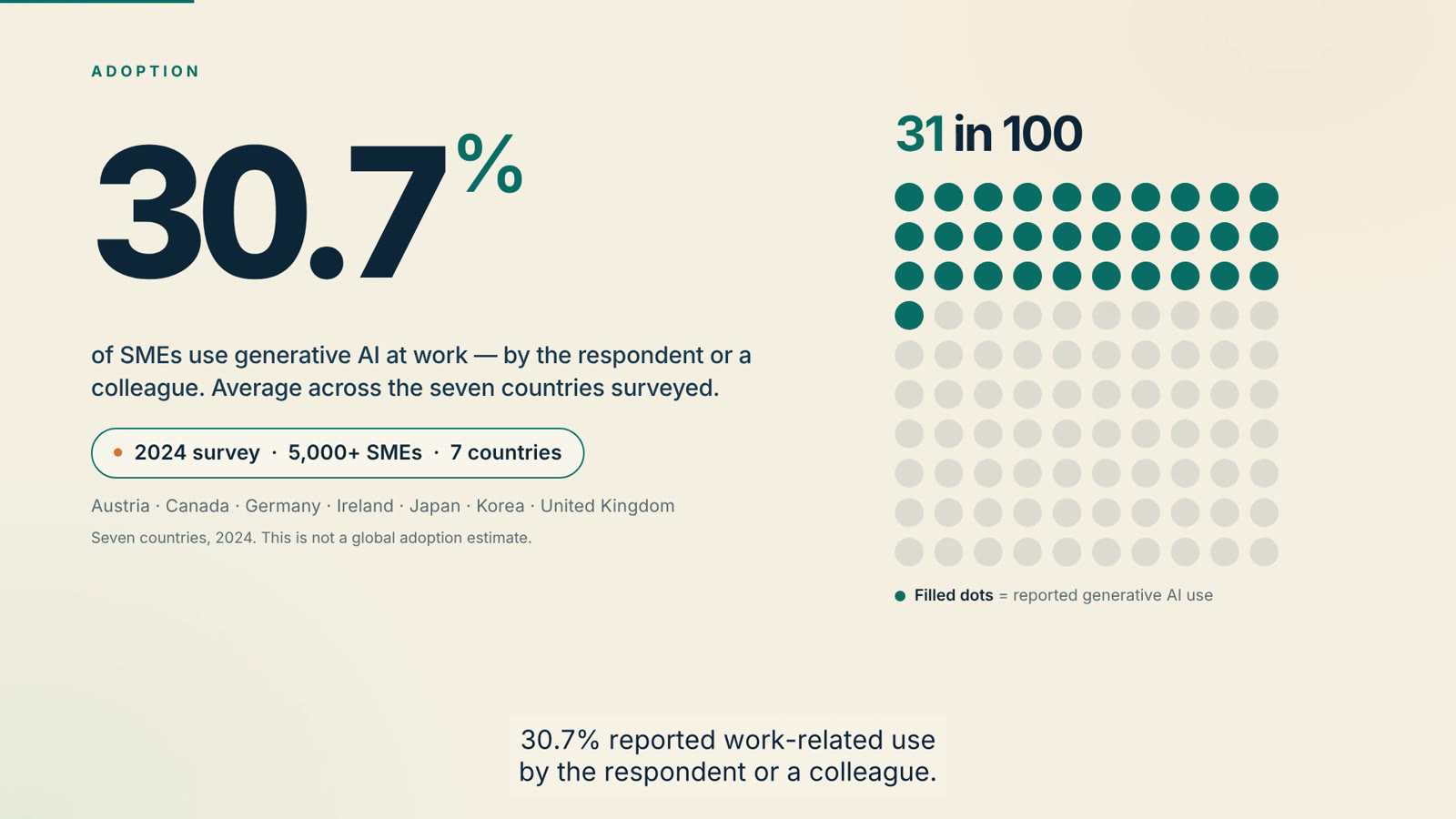
1:30 · 1920 × 1080 · with sound
Seven sections, from a 14-page PDF
Chapter 2, “How are SMEs using generative AI?” of an OECD survey report. The numbers on screen are the report's own; this is the timeline of the film above, after one round of notes.
- Hook0 to 6 seconds
- Adoption6 to 16 seconds
- Content16 to 29 seconds
- Sectors29 to 46 seconds
- Benefits46 to 68 seconds
- Takeaway68 to 80 seconds
- Source80 to 90 seconds
- Made from
- One PDF
- 14 pages, and a written brief
- Film length
- 90 seconds
- narration, captions and music
- First cut
- 46 minutes
- of the agent's working time
- Credits for the first cut
- 140
- ≈ $1.40
The proof
Checked against the PDF
A video that gets a number wrong is worse than no video. We read all 9 percentages off the finished film, frame by frame, and checked each against the report. All 9 match, and the bars and columns are drawn to scale.
| In the report | Page | On screen |
|---|---|---|
“Overall, generative AI is in use (by the respondent or a colleague) in 30.7% of SMEs, on average across the countries surveyed.” | p. 16 | 30.7%100-dot grid, 31 filled |
“Among SMEs using generative AI, 91.6% use it to generate text, compared to 34.9% to generate images, 16.9% to generate video, and 14.7% to generate audio.” | p. 21 | 91.6%, 34.9%, 16.9%, 14.7%Four horizontal bars |
“Among SMEs using generative AI, 28.7% report using generative AI in the core activities of their company” | p. 21 | 28.7%Number strip |
“65.1% of SMEs using generative AI report that it helped increase employee performance within the company” “Helping the company save money is the second most reported impact (45.2%)” “increasing company revenue (25.9%)” | p. 24 | 65.1%, 45.2%, 25.9%Three columns |
“Prepare menus by creating or editing images, writing or translating text.” “Produce video simulations of architectural models.” “Develop, debug or simplify code.” | pp. 23–24 | Three sector examplesThree illustrated cards |
Our brief listed the numbers to use and credited one chart to the wrong figure. The agent checked the brief against the PDF and said so: “One source note: the attached excerpt’s Figure 2.4 is the core-activity chart, so the content-type chart is credited to Chapter 2 and the 2024 OECD survey rather than that figure number.” The report is OECD (2025), Generative AI and the SME Workforce: New Survey Evidence, CC BY 4.0; the case study has the full comparison and the attribution.
One PDF, three rounds
The film at the top of this page took three messages: the brief with the PDF attached, a request for a second cut with real footage, and one message of notes. Together they used 370 credits.
Start from your PDFWe sent The request, about 600 words, with the PDF attached
“Create and deliver a finished 80–90 second English business explainer video from the attached Chapter 2 of OECD (2025), Generative AI and the SME Workforce: New Survey Evidence.” Read the whole brief
The infographic cut, 88 seconds, with an SRT caption file, a thumbnail and an attribution text file.
We sent A request to add real live-action footage
A live-action cut, 88 seconds, with about 29 seconds of licensed stock footage across 7 clips.
We sent 16 timestamped notes in one message
Both cuts, revised, 90 seconds each.
Two more PDFs
A PDF can be a long reference you want one answer from, or a short book you want told whole. Here is one of each. For other kinds of video, see all examples.
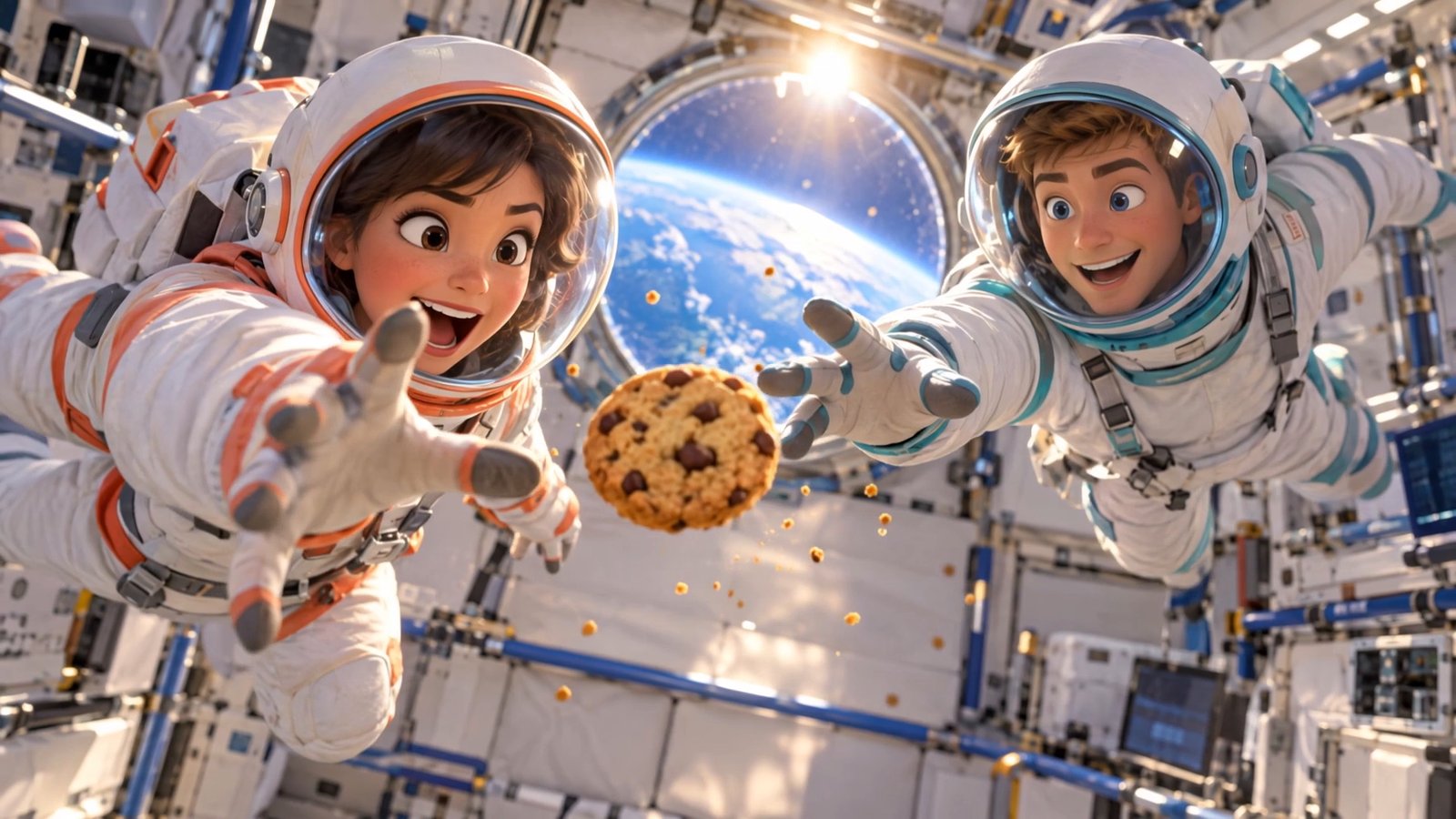
1:00 · sound
A 176-page guide, one idea
The PDF NASA's “Microgravity” teacher's guide: 176 pages, 10.7 MB.
The request “Turn this NASA PDF into a 60-second video explaining why astronauts float in space. Open with two astronauts trying to catch a floating snack, then use simple animations to explain gravity, free fall, and orbit. Keep it fun, scientifically accurate, and easy to understand, with English dialogue, captions, and a brief source credit at the end.”
The agent found the pages that answer the question and built three animated explanations from them: gravity never turns off (PDF page 18), everyone's falling (PDF page 13) and the art of missing (PDF pages 19–20).
See each scene next to its page in the guide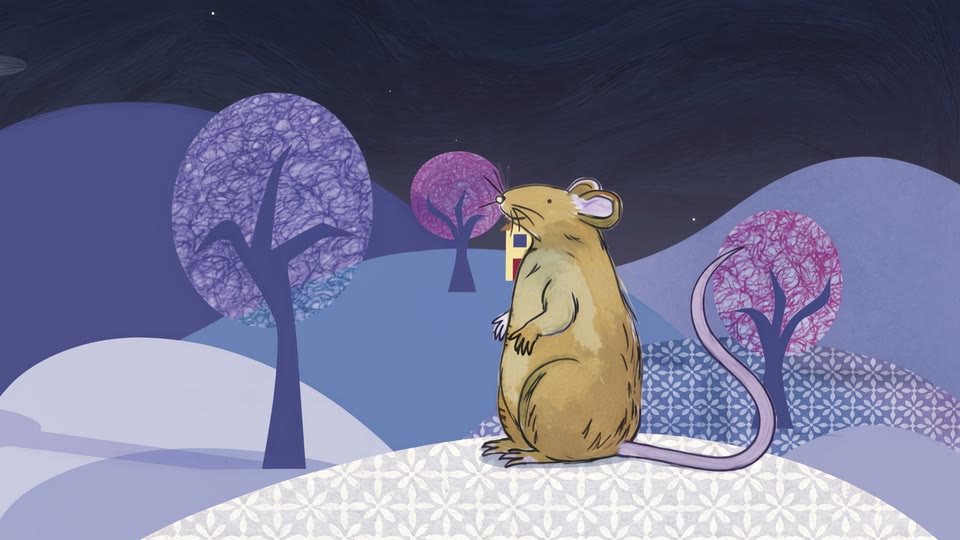
1:24 · sound
A picture book, start to finish
The PDF A 19-page picture book, 1.3 MB.
The request began “Turn this picture book into a 60–90 second animated short film in English.”
The film follows the book page by page, in the book's own ink-and-watercolour style, with narration, a voice for each animal, music and sound effects. It ends on a credit card for the book's creators.
“I animated each scene with the original page as its style and setting guide, and with Mouse, Puppy, Parrot and Fish cut out of the book as character references.”
Adapted from A House for Mouse, story by Michele Fry, illustrated and designed by Amy Uzzell and Jennifer Jacobs. Original book published by Book Dash, licensed under CC BY 4.0. Adapted into animation; changes were made.
How it works
Upload your PDF
A report, a guide, a chapter, a book. Say what the video should explain, how long it should be and who it is for.
Get a finished video
The agent reads the PDF, picks what answers your request, writes the narration and builds the scenes, with captions and music.
Check it and ask for changes
Compare it with your PDF, then reply with what to change. We sent 16 notes in one message and had both cuts back revised.
What it costs
Credits are metered usage, not a fixed price. What a video uses depends mostly on how it is made: the report video is drawn charts and narration, the other two have generated animation, and that is where most of their credits went.
New accounts get 500 free credits once their email is verified; the jobs marked in green each used less than that. Exported videos have no watermark. 100 credits cost $1 at the base rate, so the report's first cut was about $1.40. See pricing for plans and credit packs.
Five jobs on this page, as billed, in credits
- Report: the first cut, 88 seconds
- 140
- Report: a second cut with live-action footage
- 97
- Report: 16 notes, both cuts revised
- 133
- Teacher's guide: a 60-second explainer
- 740
- Picture book: an 84-second animated short
- 5,328.96
PDF to video, or PDF to MP4?
The two get searched for with the same words and do different jobs. Which one you need depends on whether the video should show your document or explain it.
- PDF to video AI this page
- Reads the PDF and makes a new video about what it says: a script, narration, animated scenes and captions. Use it when people should understand the content without reading the document.
- PDF to MP4 converter
- Turns each page into a few seconds of video, in order. Use it when the pages themselves are what people need to see, such as slides on a display. A converter is the quicker tool for that; Vividemo doesn't do page-by-page conversion.
PDF to video FAQ
What is PDF to video AI?
A tool that reads a PDF and makes a new video from what it says, rather than showing its pages one after another. With Vividemo you upload the PDF and tell an agent what the video should explain; it picks the material, writes the narration, builds the scenes and delivers a finished file with captions.
Will the numbers and facts in the video match my PDF?
On the report video here, we read all 9 percentages off the finished film and checked each against the page of the report it came from: all 9 match. The agent also caught a figure number that our brief had wrong and credited the chart correctly. Check your own video the same way before you publish it. See the numbers next to the report.
How long can the PDF be?
The longest PDF behind a video on this page is 176 pages and 10.7 MB: a NASA teacher's guide, from which the video explains one idea.
Does it turn the whole PDF into a video, or pick the key points?
You decide in the request. The report video covers one chapter in 90 seconds, the teacher's guide video takes one question out of 176 pages, and the picture book film follows the whole book page by page. See the three.
How long does it take?
The report's first cut took 46 minutes of the agent's working time, the teacher's guide video 34 minutes and the picture book film 69 minutes.
Can I change the video after it's made?
Yes, by replying. On the report video we sent 16 timestamped notes in one message and had both cuts back, revised, 43 minutes later for 133 credits. See the three rounds.
Is it free?
You can upload a PDF and plan the video with the agent without signing up. Making it needs an account, and new accounts get 500 free credits once their email is verified. The first cut of the report video on this page used 140 credits, and exported videos have no watermark. When the free credits run out, buy a pack from $10 or subscribe; see pricing.
Is this a PDF to MP4 converter?
No. A converter turns each page into a few seconds of video, so the result is your document as a slideshow. This makes a new video about what the document says, with narration and animation. See the difference.
Start from your own PDF
Upload it, say what the video should explain, and check the result against the source. New accounts start with 500 free credits; the first cut of the report video used 140.