Vividemo features
Start from what you already have
Vividemo is an AI video agent. Give it a link, a PDF, a product photo or your logo, and it delivers a finished video. Every example below is a real project with its bill.
| Start from | What you get | One real project’s bill | Feature |
|---|---|---|---|
| A product page or website link | A 15-second ad or an explainer | 60 credits · 18 minutesA 15-second ad made from the photos on a product page | URL to video |
| A product photo | A 15-second vertical ad | 407 credits · 12 minutesA draft, then the finished ad | AI video ad generator |
| A PDF | A narrated explainer with captions | 140 credits · 46 minutesFirst cut of a 14-page report, about 90 seconds long | PDF to video |
| An SOP, as a PDF | A narrated training video with every check on screen | 796 credits · 13 minutesFirst video from a 2-page SOP, with Claude Opus 5.5 | Training video maker |
| Your logo, as a PNG or SVG | A 5-second logo animation, with sound and a transparent background if you ask | 23 creditsThree rounds, changes included | Logo animation |
Minutes are the agent’s working time. Credits are what each project used, as billed.
Five ways to start
Each card is one real project from the feature’s own page: what went in, what came out, what it used and one change. The feature page has the whole story.
From a link
URL to video
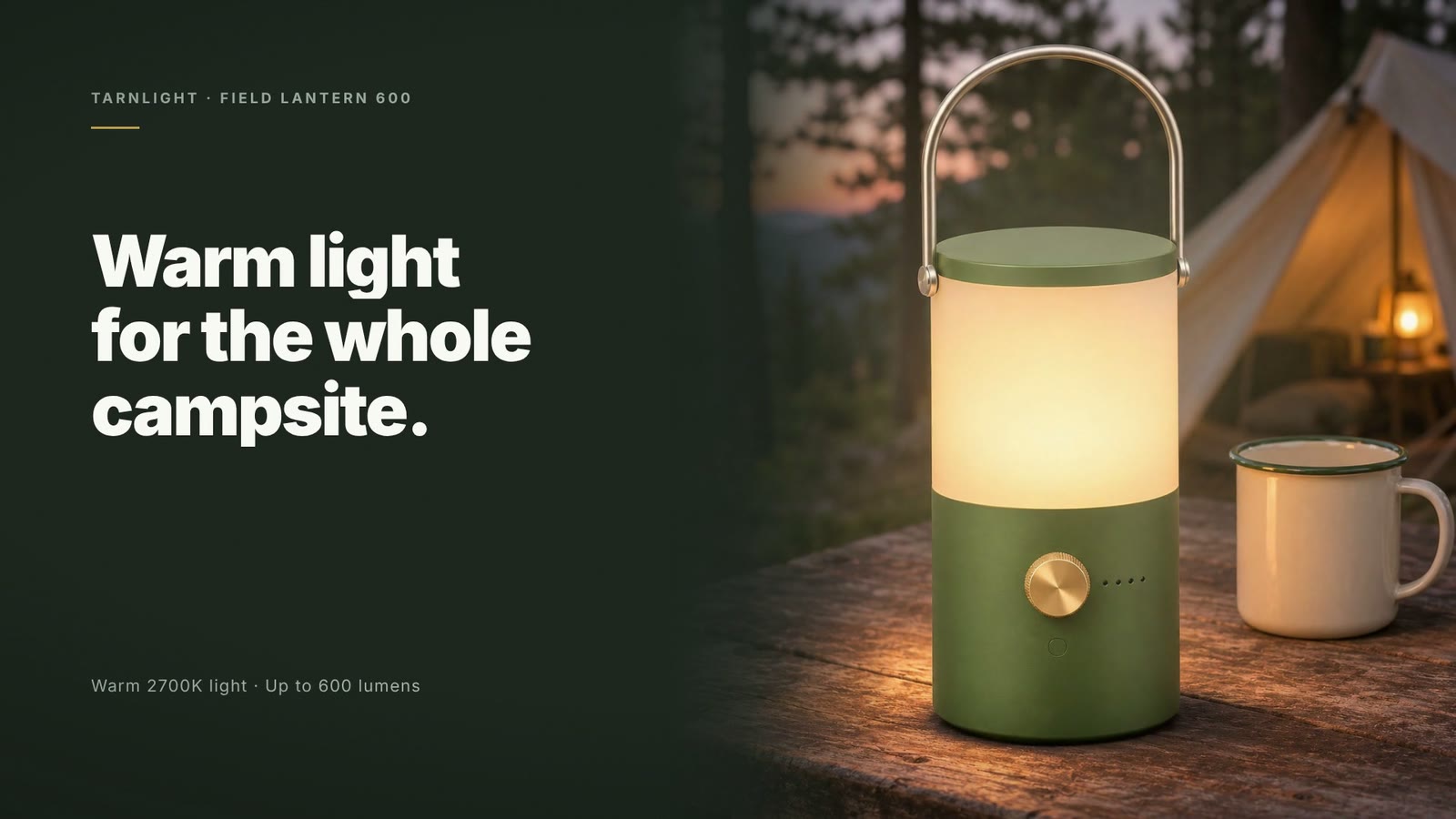
Vividemo reads the page and makes the video from what’s on it. The ad here was built from the page’s five photos, its numbers and its price.
- Starts from
- A product page link and one sentence. For an explainer, your website and a brief.
- Delivers
- A 15-second ad, 1920 × 1080, with a voiceover and music
- Real bill
- 60 credits · 18 minutesA 15-second ad made from the photos on a product page
- Changing it
- A 9:16 version, asked for in one sentence: 6 minutes, 20 credits

From a product photo
AI video ad generator
Upload a photo of your product and say what you want. The label in the generated scene reads the same as the one in the photo, line for line.
- Starts from
- One product photo and one sentence
- Delivers
- A 15-second vertical ad, 1080 × 1920: two generated scenes and a closing card built on the photo, with a voiceover and music
- Real bill
- 407 credits · 12 minutesA draft, then the finished ad
- Changing it
- You approve or change a draft before anything is spent on video generation. This one took 7 minutes and 84 of the 407 credits
From a PDF
PDF to video
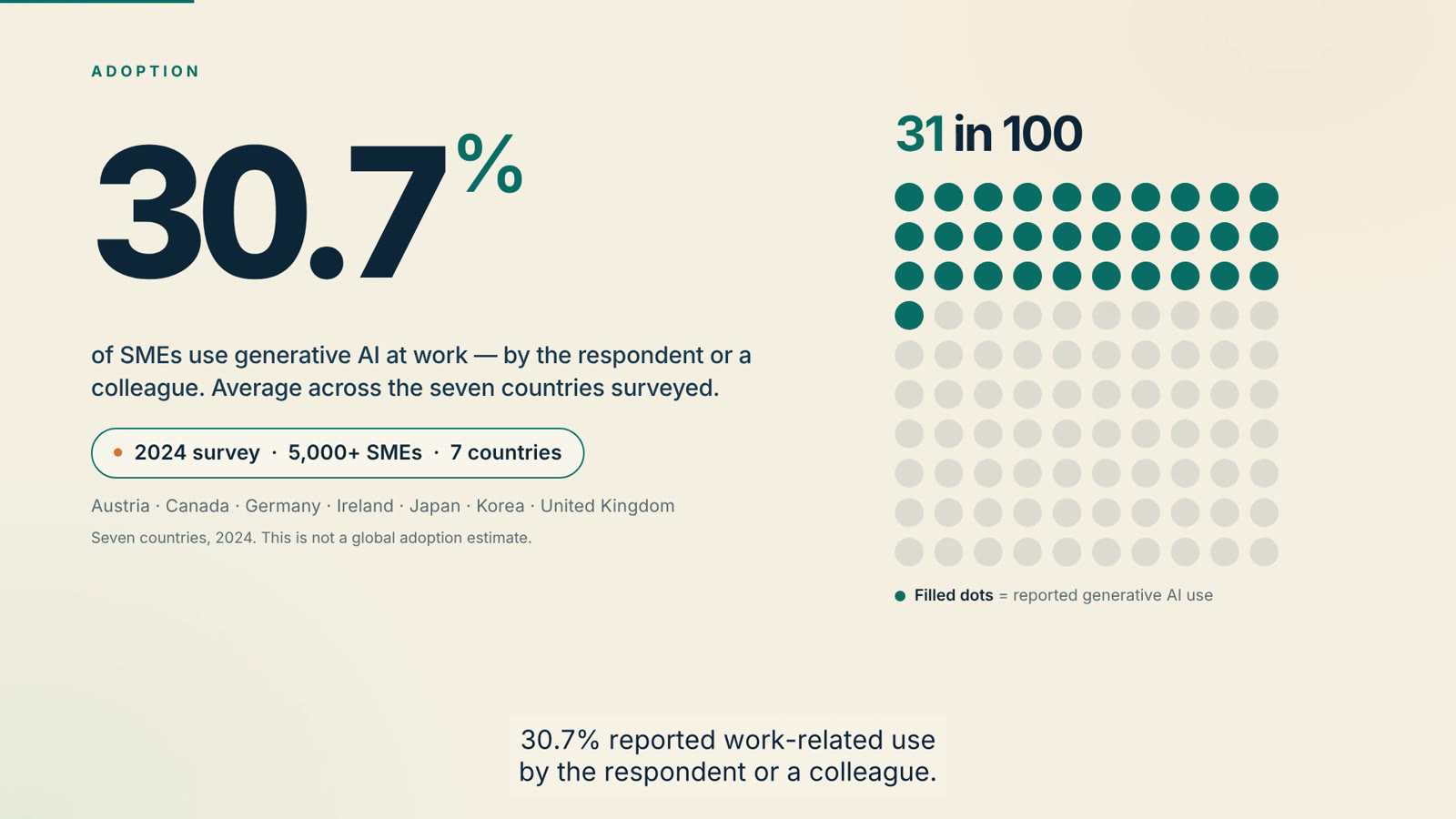
Upload a PDF and say what the video should explain. All 9 percentages on screen match the report they came from.
- Starts from
- A 14-page report as a PDF, and a written brief
- Delivers
- An explainer of about 90 seconds, 1920 × 1080, with narration, captions and music
- Real bill
- 140 credits · 46 minutesFirst cut of a 14-page report, about 90 seconds long
- Changing it
- 16 timestamped notes in one message: the revised cuts came back 43 minutes later, for 133 credits
From an SOP
Training video maker
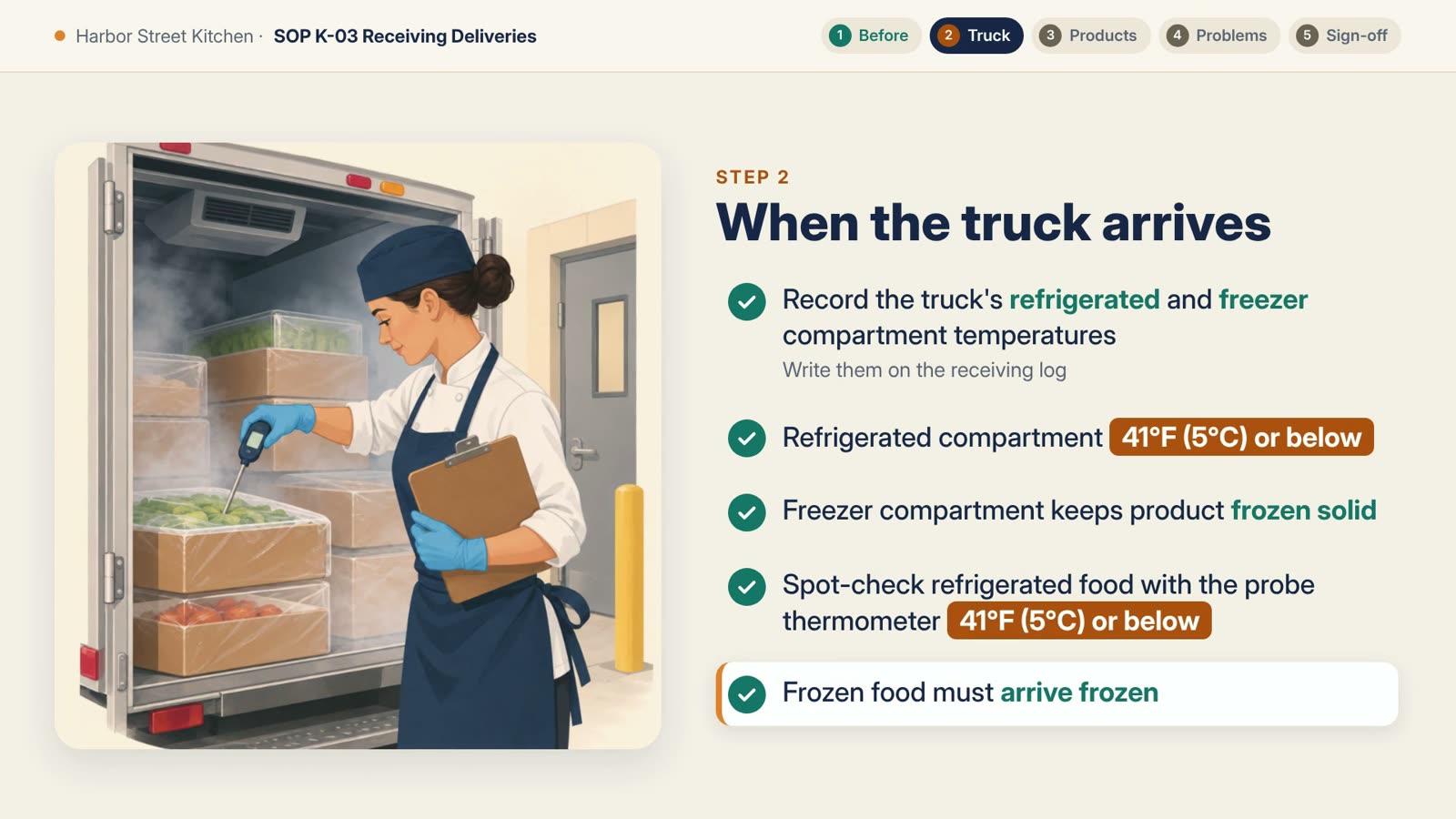
Upload the procedure and say who the video is for. Every narration line in the video here can be found in the SOP, and no rule was added.
- Starts from
- A 2-page SOP as a PDF, and one message
- Delivers
- A 3:13 training video, 1920 × 1080, with narration, music and a checklist on every screen
- Real bill
- 796 credits · 13 minutesFirst video from a 2-page SOP, with Claude Opus 5.5
- Changing it
- A new SOP revision with one rule changed: that line and screen were redone in 5 minutes, for 98 credits
From your logo
Logo animation
Upload your logo and say what you want. Vividemo takes the file apart and animates each piece, so the logo on screen is your file, not a redrawn copy.
- Starts from
- Your logo as a PNG or SVG, and one sentence
- Delivers
- A 5-second animation as a 1920 × 1080 MP4; a transparent MOV and the sound as a WAV when you ask
- Real bill
- 23 creditsThree rounds, changes included
- Changing it
- A faster build and a transparent version, in one message: 8 minutes, 9 credits
Other kinds of video. Brand story films, a 3-minute animated short film and a science explainer, each with the brief behind it and what it used. See the examples
Use it in Claude and ChatGPT
Vividemo’s MCP server works in Claude, Claude Code and ChatGPT. Ask for a video in the chat you already use, and Vividemo’s own agent makes it. It’s the same account, the same credits and the same projects as on vividemo.com, so you can start a project in one place and carry on in the other.
A product page link works as it is. For a photo, a PDF or a logo, put a public link to the file in your message, or let Claude Code upload it from your computer.
Connect your assistantWhat it costs
New accounts get 500 free credits once their email is verified. Credit packs start at $10 for 1,000 credits that never expire, and plans at $19 a month. Exported videos have no watermark.
Credits are metered usage, not a fixed price: what a video uses depends mostly on how much footage is generated for it and on the agent model that makes it.
Plans and packsWhat the five projects above used
- URL to videoA 15-second ad made from the photos on a product page60 credits ≈ $0.60
- AI video ad generatorA draft, then the finished ad407 credits ≈ $4.07
- PDF to videoFirst cut of a 14-page report, about 90 seconds long140 credits ≈ $1.40
- Training video makerFirst video from a 2-page SOP, with Claude Opus 5.5796 credits ≈ $7.96
- Logo animationThree rounds, changes included23 credits ≈ $0.23
Dollar amounts use the pack base rate of 100 credits per $1; plans cost less per credit.
Questions
What can Vividemo make?
Finished videos from what you already have. The five features on this page turn a product page into a 15-second ad, a product photo into a 15-second vertical ad, a PDF into a narrated explainer, an SOP into a training video and your logo into a 5-second animation. Other kinds, such as brand story films and a 3-minute animated short film, are on the examples page.
What’s the difference between an AI video agent and an AI video generator?
A generator turns one prompt into one clip; putting clips together and adding a voice or music is up to you. An agent takes on the whole video: it plans it, makes each part, adds narration, music and captions where they fit, and edits it all into one finished file. You change it by saying what to change. Vividemo is an agent, so each feature here ends in a finished video; the FAQ on our home page explains how it works.
Can I use Vividemo from ChatGPT or Claude?
Yes. Vividemo’s MCP server works in Claude, Claude Code and ChatGPT: you ask for a video in the chat, and Vividemo’s own agent makes it with your Vividemo credits. It’s the same account and the same projects as on vividemo.com, so you can continue a project in either place. The setup guide has the steps for each assistant.
Is it free to try?
There’s no free plan, but new accounts get 500 free credits once their email is verified, and exported videos have no watermark. The projects on this page used from 23 credits, for the logo animation, to 796, for the training video from an SOP; what yours uses depends on how it’s made. When the free credits run out, buy a pack from $10 or subscribe; see pricing.
Which feature should I start with?
The one that matches what you have. A product page or your website: URL to video. A product photo, for an ad: AI video ad generator. A report, a guide or a book as a PDF: PDF to video. An SOP as a PDF, for a training video: Training video maker. Your logo as a PNG or SVG: Logo animation. With none of these, describe the video in a brief; the examples page shows videos made from a brief alone.
Can I use the videos commercially?
Vividemo doesn’t claim ownership of the videos it makes for you. Whether you can use one commercially depends on the AI models and music used, their licenses and how you plan to use it. You also need the rights to what you start from: the page, the photos, the PDF or the logo. Our terms list the licenses that apply.
Comparing AI video agents? AI video agents compared, with prices checked November 16, 2026
Make a video from what you have
500 free credits once your email is verified. No watermark.