Training video maker
Turn your SOP into a training video your team can follow
Upload the procedure you already have and say who the video is for. Vividemo writes the narration from the document, puts every check on screen and renders the video. When the SOP changes, reply with the new one.
The agent reads your SOP and talks the video through with you. Sign up when you want it made: new accounts get 500 free credits.
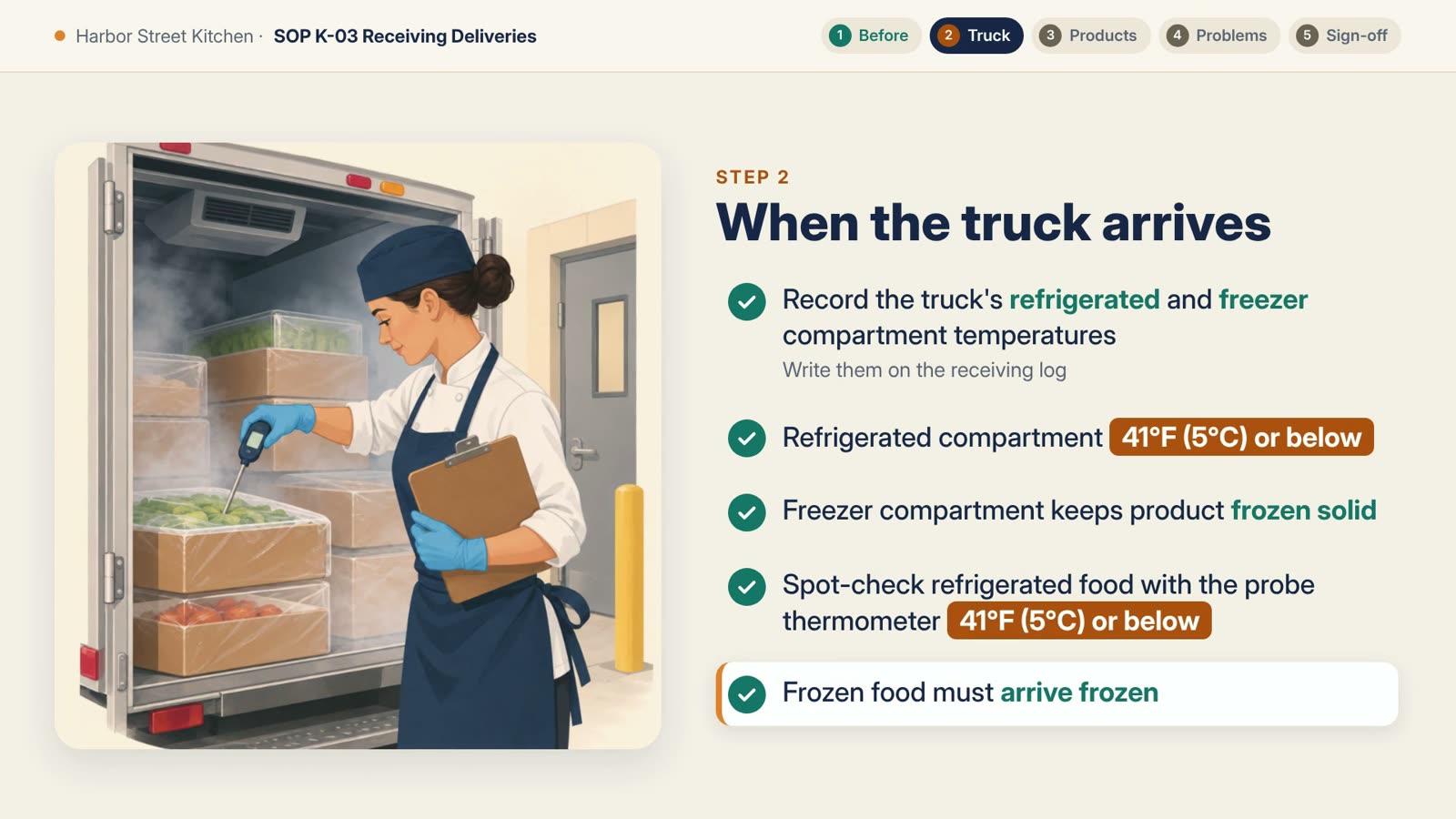
3:13 · 1920 × 1080 · narrated
The SOP's five steps, in order
The same five steps run across the top of every screen.
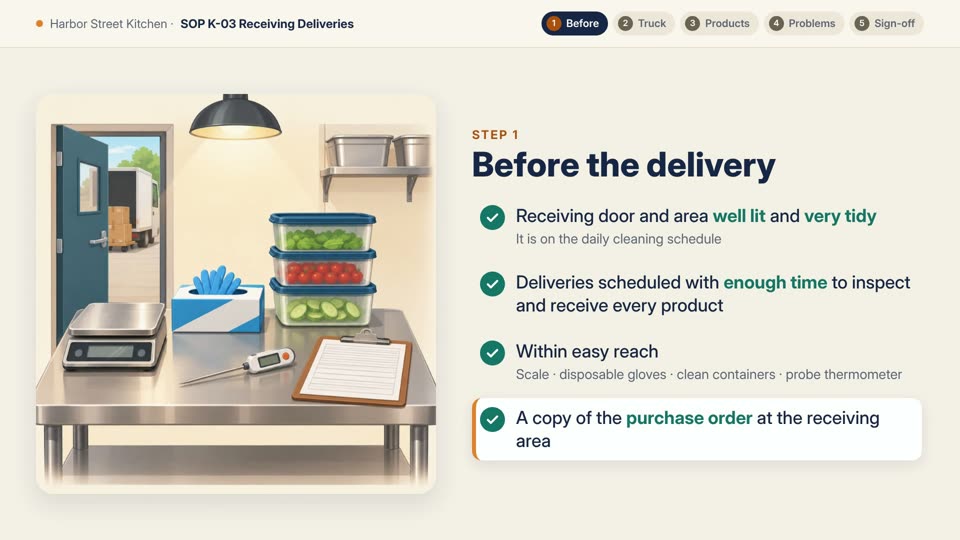
- Before the delivery21.32 to 37.77 seconds
- Truck arrives37.77 to 69.56 secondsThe STOP screen: 60.47 to 69.56 seconds
- Six product groups69.56 to 151.25 secondsDry goods: 75.39 to 94.09 secondsCanned goods: 94.09 to 109.06 secondsDairy: 109.06 to 119.15 secondsProduce: 119.15 to 127.7 secondsMeat, poultry and seafood: 127.7 to 143.09 secondsFrozen products: 143.09 to 151.25 seconds
- If something is wrong151.25 to 167.01 seconds
- Final check167.01 to 180.37 seconds
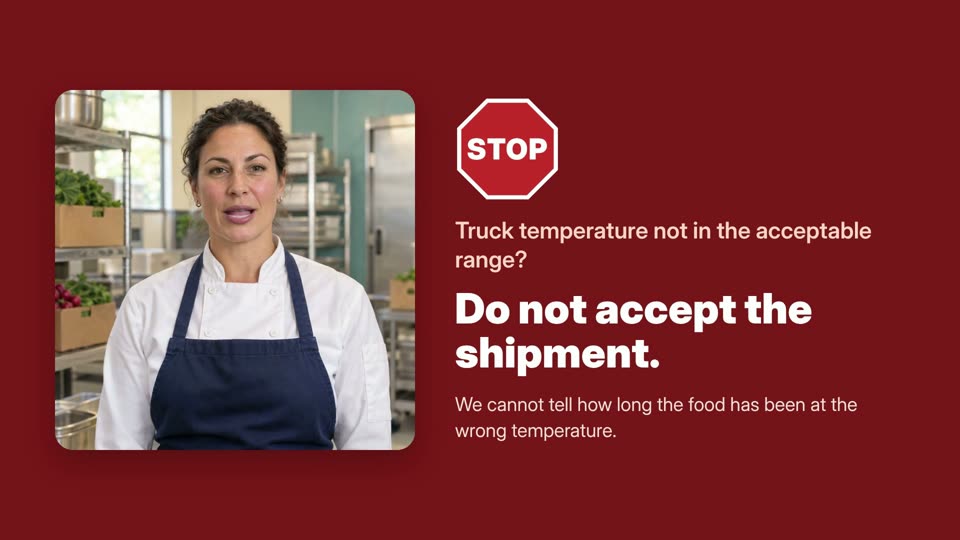
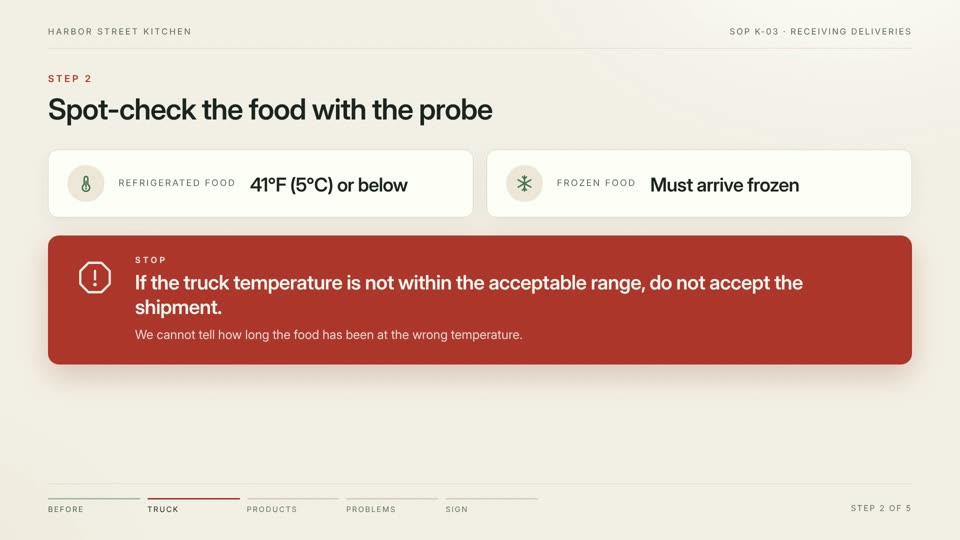
The STOP rule gets a full red screen of its own.
- Made from
- A 2-page SOP
- a PDF, about 700 words
- Length
- 3:13
- 15 scenes, narration and music
- Agent time
- 13 minutes
- from one message
About this example: Harbor Street Kitchen is a made-up restaurant. Its SOP is adapted from “Receiving Practices” in Food Safety, Sanitation, and Personal Hygiene by the BC Cook Articulation Committee (BCcampus, 2015), licensed under CC BY 4.0. The video credits the source on its last screen.
The proof
Checked against the SOP, line by line
A training video that looks finished but teaches the wrong step is worse than none. So we read the film back against the document: every check in the SOP is on screen, every narration line can be found in the SOP, and no rule was added.
- The SOP says
Acceptable (house standard): refrigerated compartment at 41°F (5°C) or below; freezer compartment keeping product frozen solid.
On screen 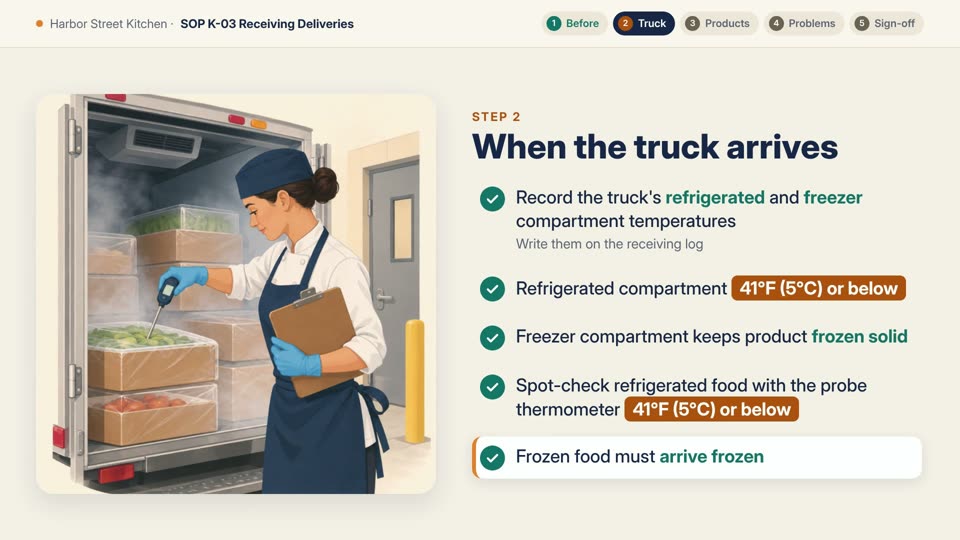 The narrator says
“The refrigerated compartment must be forty-one degrees Fahrenheit, five Celsius, or below. The freezer must keep product frozen solid.”
- The SOP says
STOP: If the truck temperature is not within the acceptable range, do not accept the shipment. We cannot tell how long the food has been at the wrong temperature.
On screen 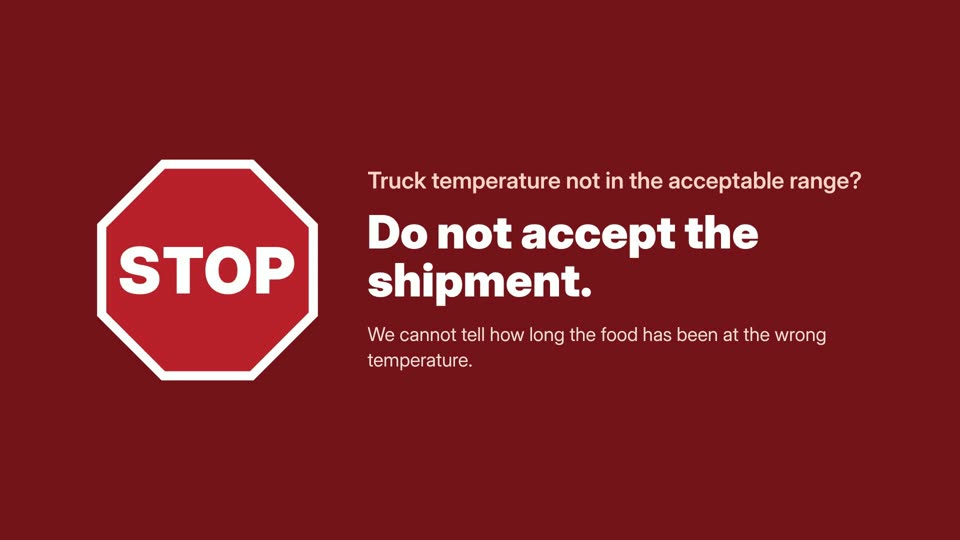 The narrator says
“Stop. If the truck temperature is not in range, do not accept the shipment. We cannot tell how long the food has been at the wrong temperature.”
- The SOP says
Reject swollen or bulging cans — the food has spoiled.
Reject cans with large dents — the seams may have split and the food may be contaminated. Send them back to the supplier.
On screen 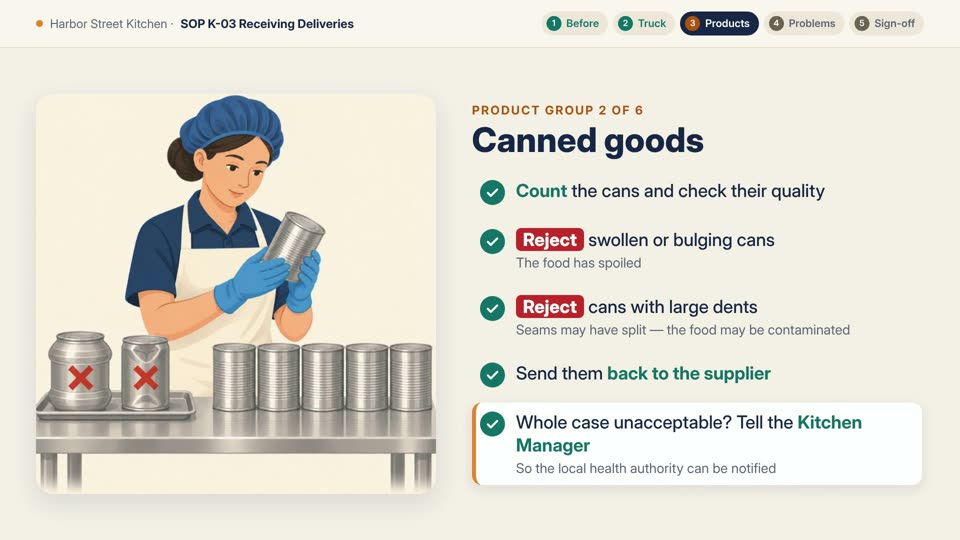 The narrator says
“Reject swollen or bulging cans, and cans with large dents. Send them back to the supplier.”
- The SOP says
Do not sign the invoice if there is any doubt about quantity, quality or damage. Get the shift lead or Kitchen Manager, who will clear it up with the supplier before you sign.
On screen 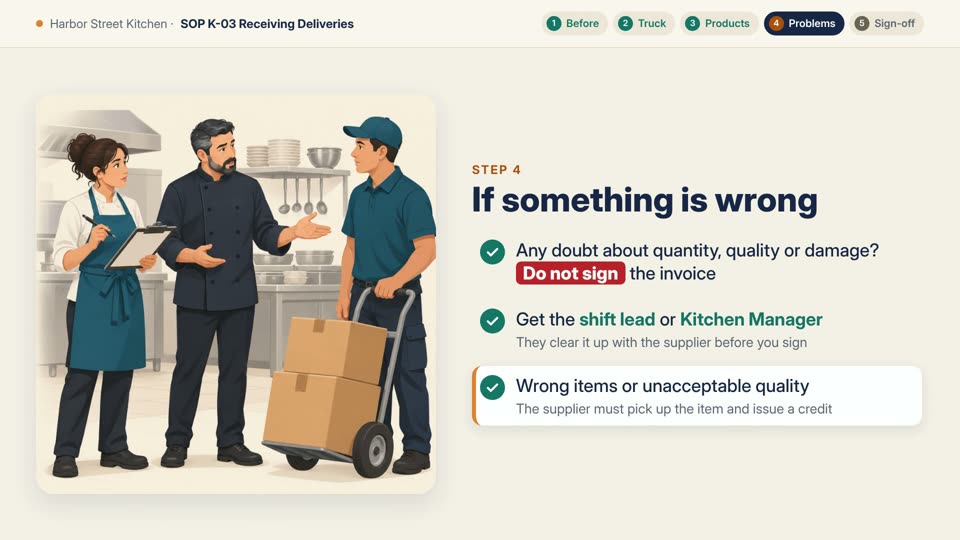 The narrator says
“If there is any doubt about quantity, quality, or damage, do not sign the invoice. Get the shift lead or Kitchen Manager to clear it up with the supplier first.”
- The SOP says
Quality: products meet the specs on the invoice or the specs agreed with the supplier, including the exact brand when we asked for one.
On screen 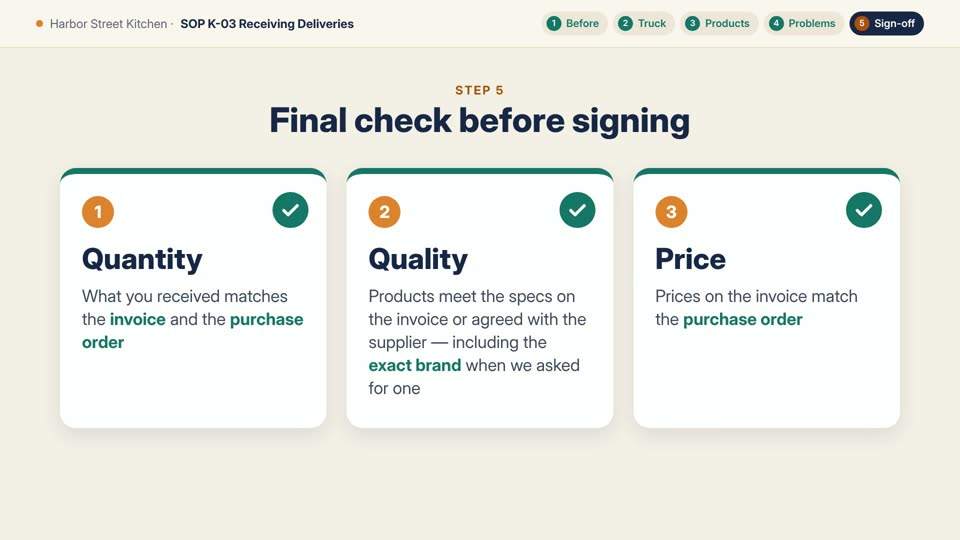 The narrator says
“Quality meets the specs, including the exact brand when we asked for one.”
- Narration lines found in the SOP
- 15 of 15
- Product groups with a screen of their own
- 6 of 6
- Rules added that aren't in the SOP
- 0
- Places the agent flagged for you to check
- 2
The two flags came with the video, unasked: the closing line, “If in doubt, don't sign”, sums up the SOP's “If something is wrong” section rather than quoting it, and the gloves and hairnets in the pictures are not rules in the SOP. Where the narration is shorter than the SOP, the full wording stays on screen.
When the SOP changes
New revision, one line changed
A new revision of an SOP usually changes one rule, not the whole video. Attach the new file and say what changed. Only that part of the video is redone, and the previous version stays in the project.
We sent, with SOP-K-03-Receiving-Deliveries-Rev3.pdf attached “Thanks, looks good! We just updated the SOP to rev 3 (attached). The only change is in the dairy section: the best-before date now has to be at least 10 days out instead of one week. Can you update the video for that? No need to redo the whole thing, just fix what changed.”
The dairy line was recorded again in the same voice, and the dairy screen now reads “at least 10 days after today”. The last screen says Revision 3. Nothing else in the video changed; the new line is a fraction of a second shorter, so the video now runs 3:12.
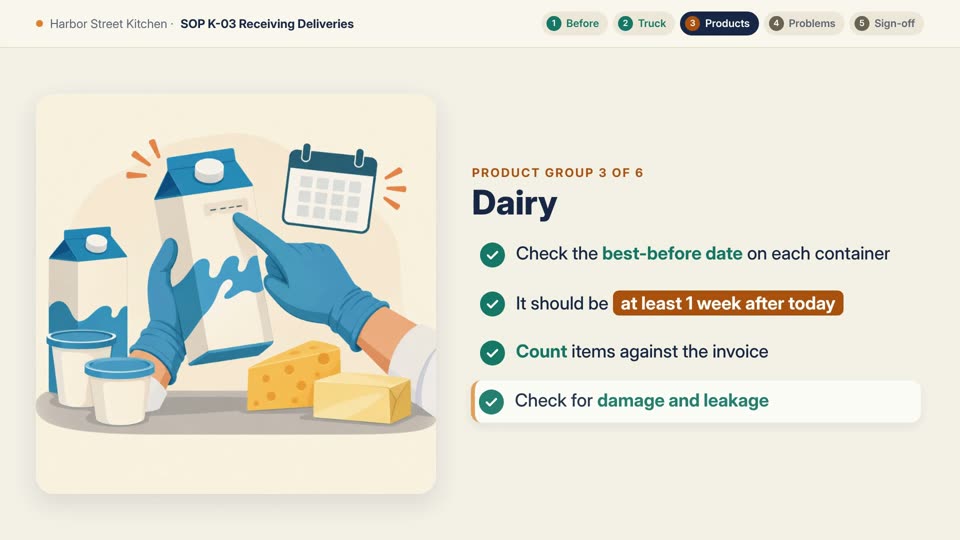
Revision 2. At least 1 week after today 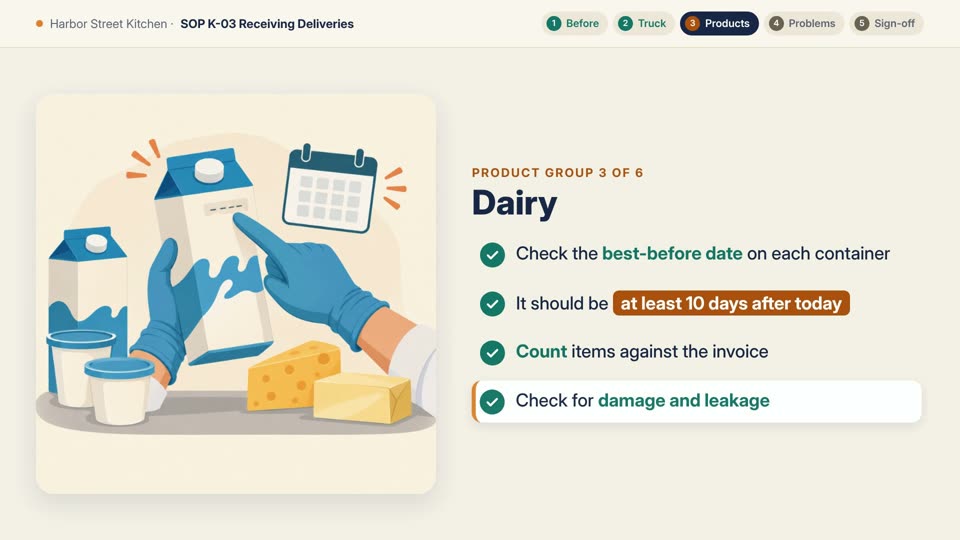
Revision 3. At least 10 days after today
Another language
The same video, in Spanish
“Perfect, thank you. A lot of our cooks speak Spanish as their first language. Could you also make a Spanish version of the rev 3 video? Same content and same look, just in Spanish.”
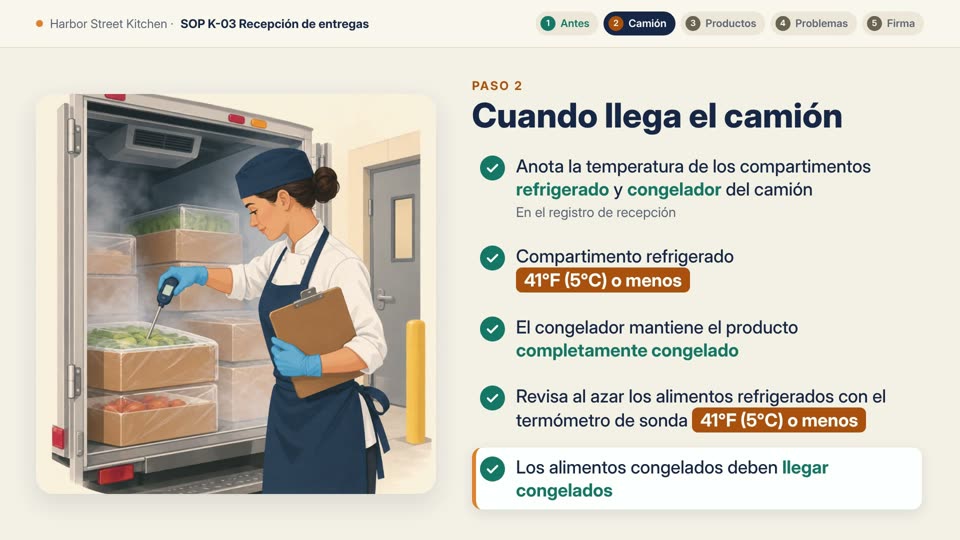
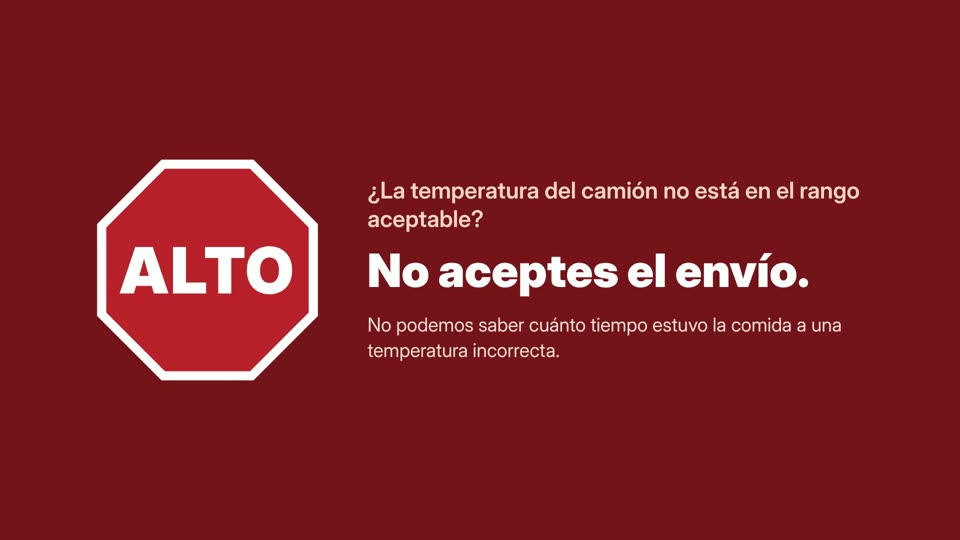
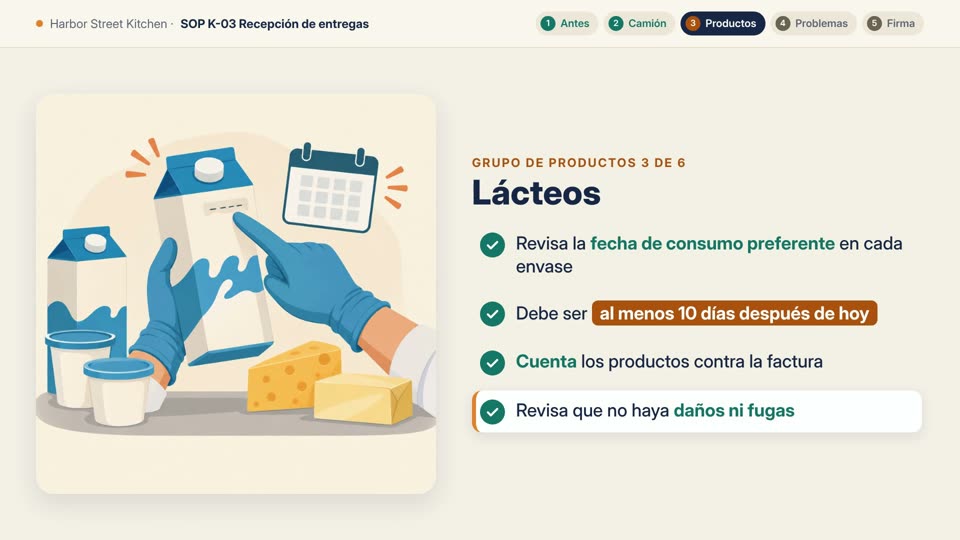
- Length
- 3:50
- Spanish narration and screens
- Agent time
- 11.5 minutes
- same pictures and layout
- Credits
- 590.75
- with Claude Opus 5.5
- Checked
- 15 screens
- against the SOP, credit line included
A person on screen
Add a presenter for the parts that matter
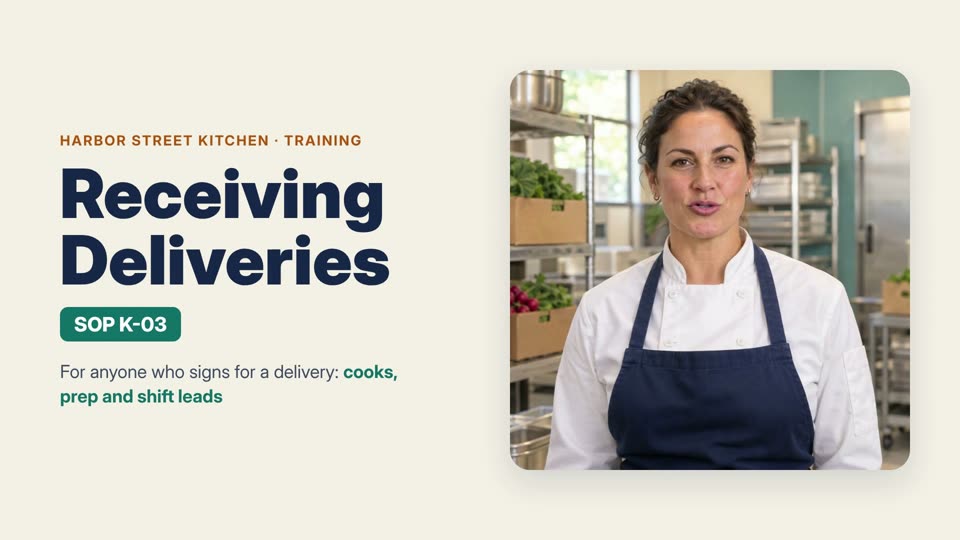
We asked for an AI presenter to open the video, give the STOP warning and close it, speaking the narration that was already approved, word for word.
“She should introduce the video at the start, deliver the STOP warning about truck temperature, and give the closing reminder at the end. … Please keep the wording exactly as in the current script.”
The agent watched every clip before using it. Two didn't pass its own check, one where she looked away and one where she smiled through the warning, so it asked before making them again and checked the new takes before finishing.
How to make a training video from an SOP
Upload the SOP
The procedure as your team uses it. The video on this page started from a 2-page PDF.
Say who it's for
Who watches it, about how long, and what to leave alone. Here that was new cooks, 2–3 minutes, and no new rules.
Check it, then reply
Watch it with the SOP open. A new revision, another language or a presenter starts with one more message in the same project.
Same SOP, two agent models
The same PDF and the same message, made on . The agent model is picked under the message box. GPT-6.1 Sol and Claude Opus 5.5 are available on Pro and Studio plans.
3:13
Claude Opus 5.5
Narration, music, a checklist on every screen and 11 drawn pictures of the kitchen, the truck and each product group.
2:50
Within the 500 free credits
DeepSeek V4.1 Flash, the default
Narration, music and the full checklist for every step and product group, drawn with icons instead of pictures.
Files you get
- MP4
The video, 1920 × 1080
Narration and music mixed in, as one file to put on a shared drive or send in a team chat.
- MD
The script
Every scene's narration and on-screen text, to review against the SOP or hand to a reviewer.
- MP3
Narration, music and pictures
One audio file per scene, the music bed and the pictures as PNG files, all in the project.
What it costs
Every job on this page, as billed
- First video, Claude Opus 5.5
- 795.65
- SOP revision 3
- 97.87
- Spanish version
- 590.75
- Presenter, 3 parts
- 2,018.42
- Same SOP, default model
- 199.51 credits ≈ $2
Credits are metered usage, not a fixed price: the agent model, the voice, the music and any pictures each add to the bill. New accounts get 500 free credits once their email is verified, and exported videos have no watermark. The dollar amount uses the base rate of 100 credits per $1. See pricing for plans and credit packs.
For reference: the FAQ on Synthesia's training video page says “The cost of making a training video varies between $1,000 - $10,000 per minute depending on the tools and resources you use”, as we read it on (https://www.synthesia.io/features/training-video-maker). That is their figure, not ours.
Training video FAQ
Can I turn an SOP or a PDF into a training video?
Yes. Upload it and say who the video is for. The video on this page came from a 2-page PDF and one message.
Will it add or change steps?
Ask it not to, as we did. In our check, every narration line could be found in the SOP and no rule was added; the agent pointed out the one line that summed up a section. Still watch it with the SOP open before your team does.
What happens when the SOP changes?
Attach the new revision and say what changed. Here, one dairy rule changed; that line and screen were redone in 5 minutes for 97.87 credits, and the old version was kept.
Can I make it in Spanish or another language?
Ask for it in the same project. The Spanish version on this page kept the pictures and layout, with the narration and every screen in Spanish.
How long should a training video be?
As long as the procedure needs, and you can name a length. We asked for 2 to 3 minutes; a 2-page SOP became 3 minutes 13 seconds with every check on screen.
How long does it take, and what does it cost?
The first video took the agent 13 minutes and 795.65 credits with Claude Opus 5.5. With the default model, the same SOP took 29 minutes and 199.51 credits. See every job.
Is it free?
You can upload an SOP and plan the video with the agent without signing up. There's no free plan, but new accounts get 500 free credits once their email is verified. The default-model version on this page used 199.51, and exported videos have no watermark. When the free credits run out, buy a pack from $10 or subscribe; see pricing.
Can I put a person on screen?
Yes, an AI presenter. We asked for one to speak three parts of the approved narration word for word. See the presenter version.
Turn your SOP into a training video
Upload the PDF, say who it's for, and reply when the SOP changes. New accounts start with 500 free credits; the default-model version on this page used 199.51.