URL to video AI
Turn a URL into a finished video
Paste a product page or a website link and say what you want in a sentence. Vividemo reads the page, writes the video and makes it. Ask for changes the same way.
The agent reads your page, asks a few questions and drafts the video. Sign up when you want it made: new accounts get 500 free credits.
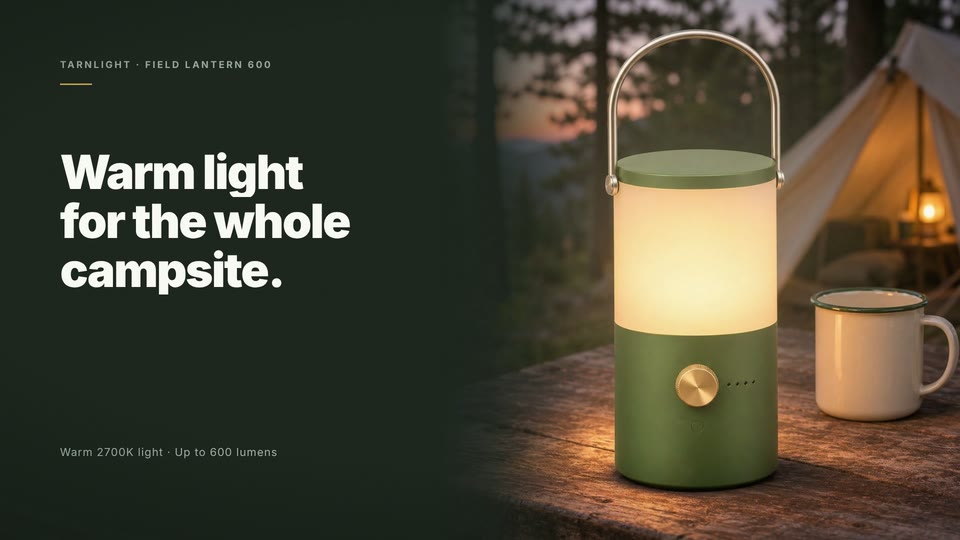
0:15 · 1920 × 1080 · with sound
Five scenes, built from one product page
An ad for the Tarnlight Field Lantern 600, a lantern on our demo store. The photos, the numbers and the price are the ones on its page; this is the timeline of the film above.
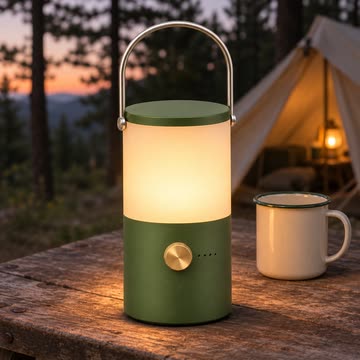
- Campsite photo0 to 2.62 seconds
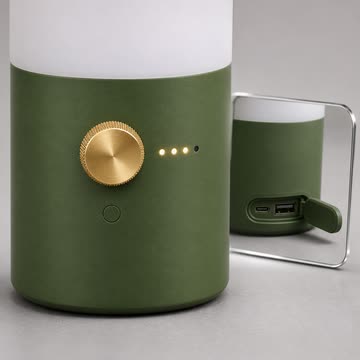
- Dial close-up2.62 to 5.78 seconds
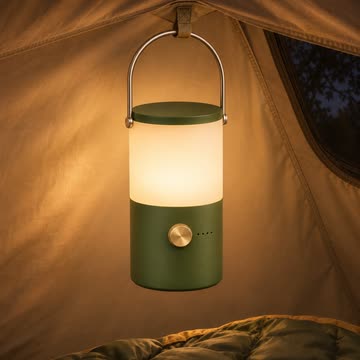
- In the tent5.78 to 8.6 seconds
- Specs and price8.6 to 11.4 seconds
- End card11.4 to 15 seconds
- Made from
- One link
- and one sentence
- Length
- 15 seconds
- 1920 × 1080, voiceover and music
- Agent's working time
- 18 minutes
- one round, nothing to answer
- Credits
- 60
- ≈ $0.60
Which page do you have?
A product page and a company website make different videos. Here is one of each, both made with Vividemo. For other kinds of video, see all examples.
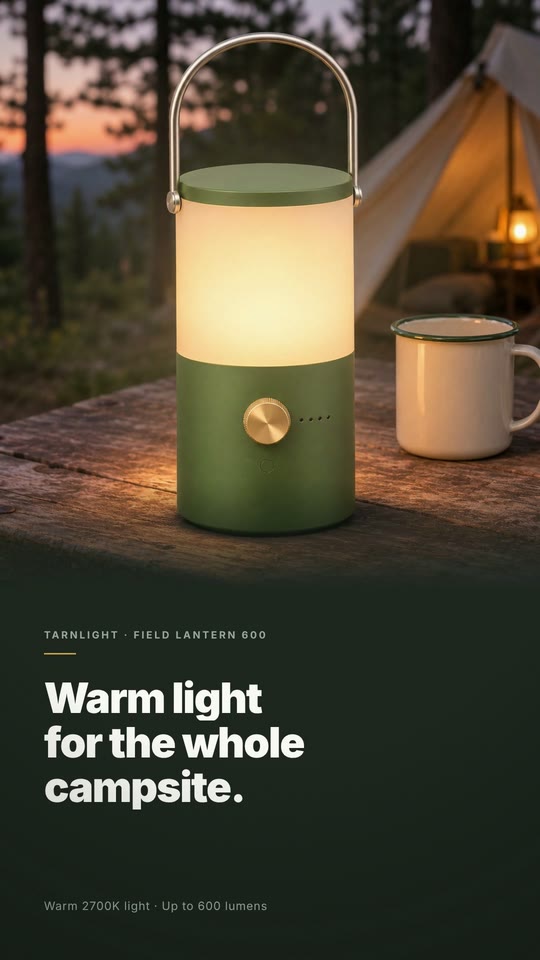
0:15 · 9:16
A product page becomes a short ad
Started from A link to one product page and one sentence.
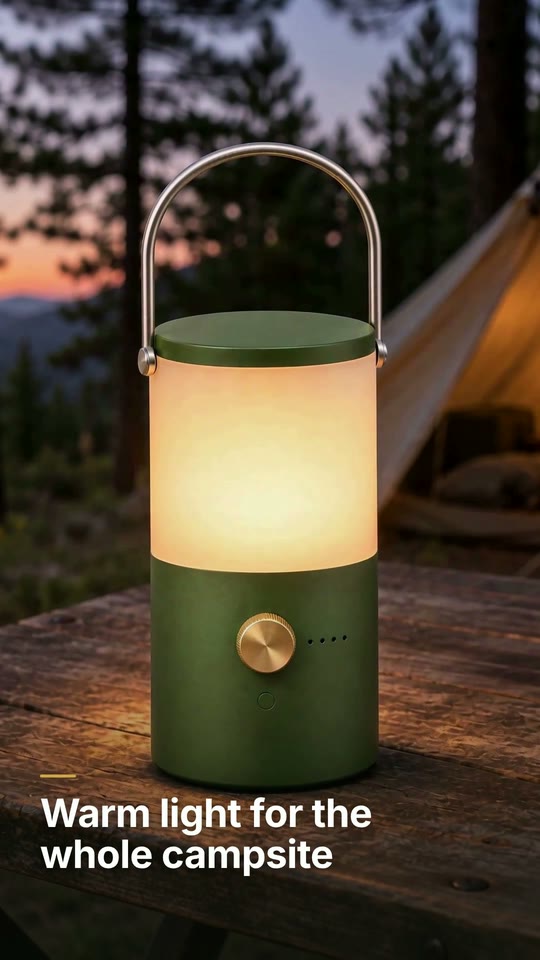
The agent read the page, took its five photos, its numbers and its price, and built a 15-second ad with a voiceover and music. This is the vertical version, laid out again for a phone screen.
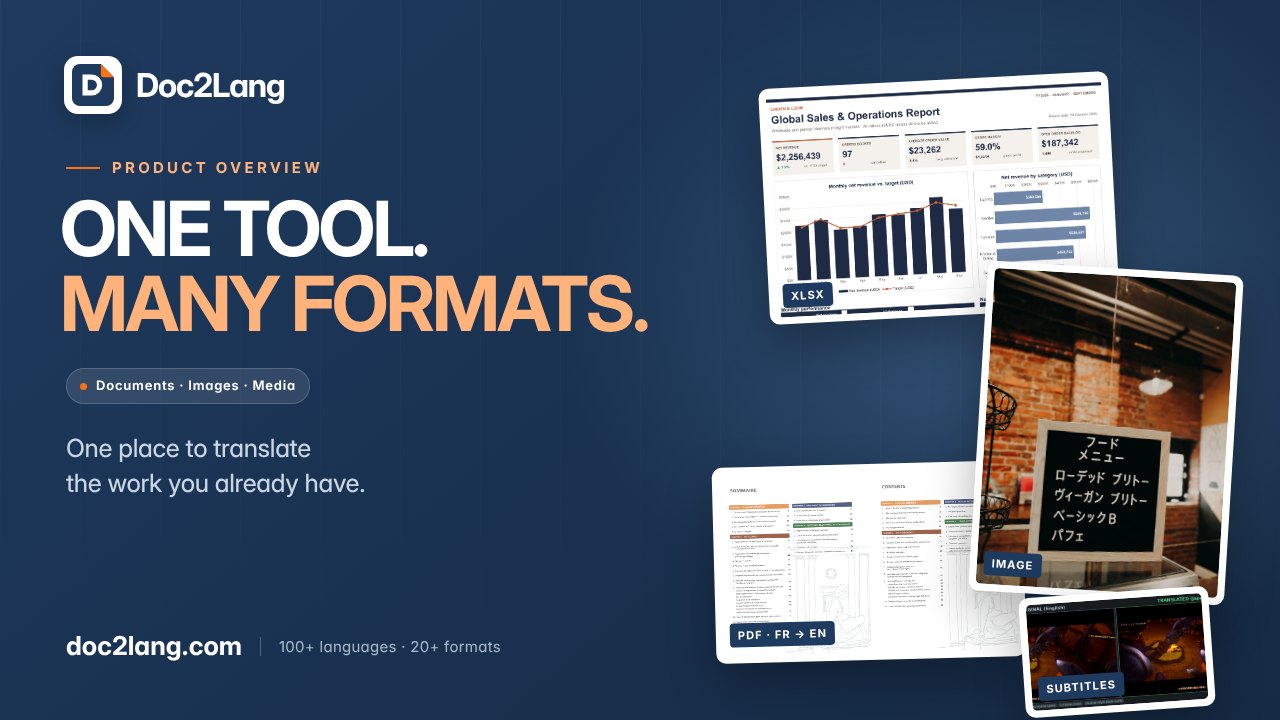
1:17 · 16:9
A product website becomes an explainer
Started from A written brief and real samples from the customer's website.
Doc2Lang translates documents, images and media. Their overview walks through the product with English narration and subtitles, and went through one round of changes.
Read the case study
One link, one finished ad
This is the whole conversation behind the ad at the top of this page: two messages from us, two videos back. The link pointed at a product page on our demo store; Tarnlight is a brand we made up for it.
Start from your linkWe wrote “Make a 15-second video ad for this product: [link to the Field Lantern 600 page on our demo store]”
A 15-second ad in 16:9 with a voiceover and music, built from the five photos on the page. The agent had nothing to ask first.
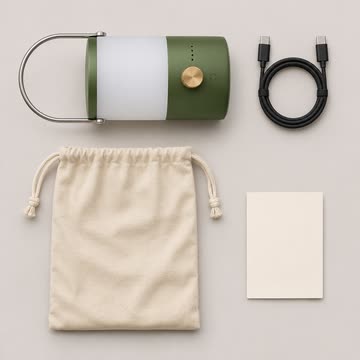
“I built it from the store's five official product photographs instead of generating footage, so the product on screen is exactly the product you sell — no invented details on the handle, dial or globe.”
We wrote “Also give me a 9:16 version.”
The same ad at 1080 × 1920, with the same narration, music and timing. Each scene was laid out again for the tall frame, so the square photos stay whole.
“I rebuilt the layout rather than cropping the wide version.”
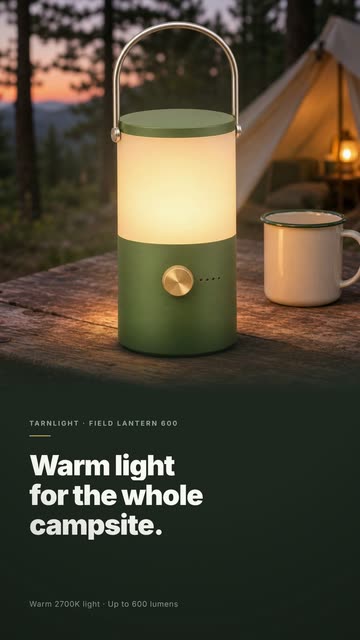
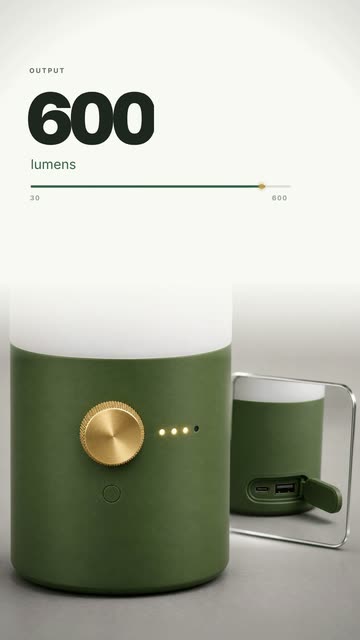
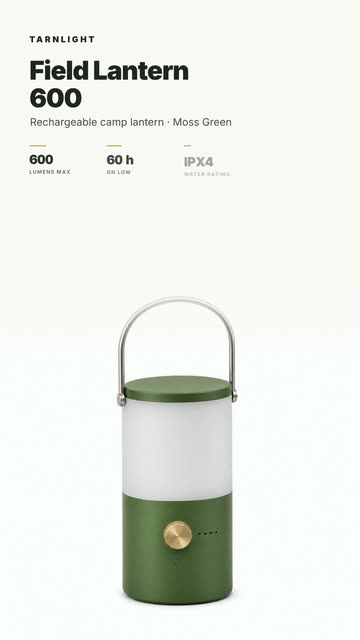
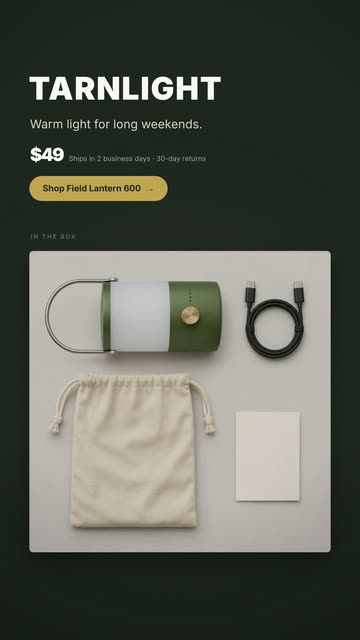
The proof
From your page, not made up
An ad that invents a feature is worse than no ad. Here is what the product page says next to what the ad says. Every number in the ad is on the page, and where the page says the 60 hours are on the Low setting, the ad says so too.
| On the product page | In the ad |
|---|---|
| Warm light for the whole campsite. | Warm light for the whole campsite. |
| One dial takes it from a 30-lumen glow to 600 lumens | 600 lumens, with a bar filling from 30 to 600 |
| Turn it to move through four modes … There are no menus and nothing to pair. | One brass dial. Four modes. No menus. Nothing to pair. |
| Up to 60 hours on Low. | Up to 60 hours on Low |
| Water resistance: IPX4 · Weight: 420 g | 600 lm · 60 h · IPX4 · 420 g |
| $49.00 · Ships in 2 business days. 30-day returns. | $49 · Ships in 2 business days · 30-day returns |
| A long weekend without recharging. | Warm light for long weekends. The agent's own closing line |
0:15 · 9:16
The same link, with generated footage
We sent the same sentence and the same link a second time, with Claude Opus 5.5 chosen as the agent model. This time the agent proposed three generated scenes, using the page's photos as references so the lantern stays accurate, and stopped there:
“I haven't generated any video yet and need your go-ahead first.”
- 0–4 s A campsite at dusk. A hand turns the brass dial and the lantern fills with warm light.
- 4–8 s The lantern hangs by its handle inside a tent and lights the canvas.
- 8–11 s A close-up of the dial and battery lights, with a phone charging from the lantern.
- 11–15 s A closing card with the store's product photo, the name and the price.
“Looks good, go ahead”
The finished ad took 6 minutes of the agent's working time, plan included, and 773.39 credits. All three scenes were used as first generated.
“Every claim comes from the product page. I wrote the 60-hour runtime as "Up to 60 hours" to match the page, since that figure only applies on the Low setting.”
How it works
Paste your link
A product page or your website, plus a sentence on what you want: the length, the shape, where it will play.
See what it plans
The agent reads the page and tells you what it will make. Before it spends credits on generated footage, it shows you the plan and waits.
Ask for changes
Reply with what to change. We asked for a 9:16 version and had it 6 minutes later.
What it costs
Credits are metered usage, not a fixed price. These are the two projects on this page as billed, in credits. Dollar amounts use the base rate of 100 credits per $1. New accounts get 500 free credits once their email is verified. Exported videos have no watermark. See pricing for plans and credit packs.
Built from the page's photos
Voiceover, music and the agent's work
- 15-second ad, 16:9
- 60.20
- 9:16 version
- 19.92
- Total
- 80.12 credits ≈ $0.80
With generated footage
Generated scenes, music and the agent's work
- Plan
- 62.85
- 15-second ad, 9:16, three generated scenes
- 710.54
- 16:9 version, three scenes remade
- 721.19
- A new first 3 seconds, one new scene
- 250.28
- Total
- 1,744.86 credits ≈ $17.45
URL to video, link to video, website to video
They are three names for the same thing: you give a web address, and the page behind it becomes the source for a new video. Two other tools go by similar names and do something else. If what you need is an ad for a campaign, from a product photo or a brief as well as a link, see the AI video ad generator.
- URL to video AI this page
- Reads a page and makes a new video from what is on it: the words, the photos, the numbers.
- Video downloader
- Saves a video that already exists at a link. Vividemo doesn't download videos from other sites.
- Scrolling screen recorder
- Records a page as it scrolls. The result is a recording of the page, not a video made for the product.
URL to video FAQ
What is a URL to video AI tool?
A tool that takes a web address instead of a script or footage. You paste a link and say what you want; it reads the page, writes the video, builds it and delivers a finished file. With Vividemo you do this in a conversation with an agent, and you ask for changes the same way.
What kinds of links can I turn into a video?
The ad on this page started from a product page on our demo store, and the agent read its text, its price and its five photos. We have also had it read an Amazon product listing, and Doc2Lang's explainer started from a brief and samples from their product website. See both kinds.
Will the video make things up about my product?
In the ad on this page every number came from the product page: the brightness, the runtime, the weight, the price and the shipping terms. Where the page said the 60 hours applied to the Low setting, the ad said so too. The one line the agent wrote itself is the tagline on the end card. See the page next to the ad.
How long does it take?
Minutes. The ad built from the page's photos took 18 minutes of the agent's working time, and its 9:16 version 6 more. The ad with three generated scenes took 6 minutes, plan included.
Can I change the video after it's made?
Yes, by replying. We asked for a 9:16 version of the first ad in one sentence and had it 6 minutes later for 20 credits. See the conversation.
Is it free?
You can paste a link and talk the video through with the agent without signing up. Making it needs an account, and new accounts get 500 free credits once their email is verified. The two 15-second ads on this page used 60 and 773 credits, and exported videos have no watermark. When the free credits run out, buy a pack from $10 or subscribe; see pricing.
Can I use the video commercially?
Vividemo doesn't claim ownership of the videos it makes for you. Whether you can use one commercially depends on the AI models and music used, their licenses and how you plan to use it. You also need the rights to the page, the photos and the brand you point it at. Our terms list the licenses that apply.
Start from your own link
Paste a product page or your website, say what you want in a sentence, and ask for changes until it's right. New accounts start with 500 free credits; the ad at the top of this page used 60.