Nine agents, each checked on its own website. Pick by the video you make, then compare what a finished video really costs.
By the Vividemo teamChecked Regular prices · promotions left out
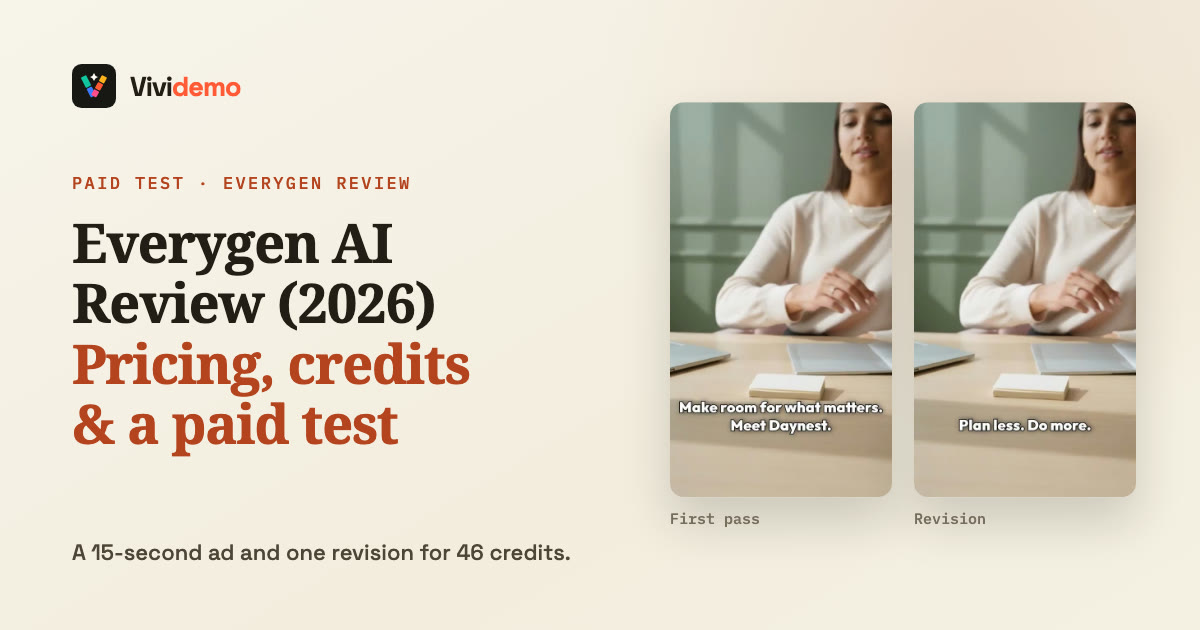
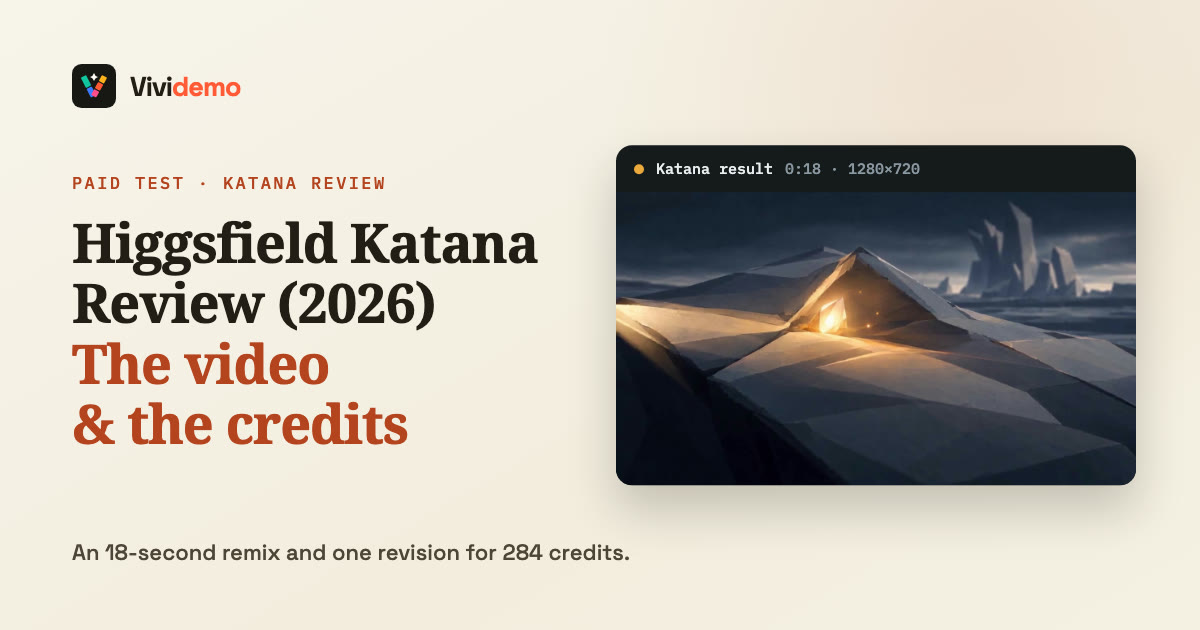
We make Vividemo, one of the nine tools on this page. For the other eight, we read each company’s own website on , without signing up or buying anything. Separately, we paid to test two agents in October, Everygen’s Wizard and Higgsfield’s Katana; those reviews are below.
What are you making?
Pick one; the best fit lights up in the table.
Each company leads its site with a different kind of video. Choose yours and we’ll mark the match below, with the one-line reason.
Agents and generators
AI video agent
Hands back a finished video
It takes on the whole video: it plans it, picks a model for each shot, generates the shots, adds narration, music and captions, and edits everything into one file. You change the result by saying what to change.
AI video generator
Turns one prompt into one clip
Usually a few seconds long. Assembly, voice and music are up to you or other tools.
Read the fine print. Several companies here sell both, so check whether a pricing page’s “video” means one clip or a finished video. InVideo’s, for example, says Starter’s 400 credits make about 15 “Seedance 2 fast videos”, priced per Seedance 2.0 Fast generation, and doesn’t say what a whole video costs. The table’s “What it makes” view says what each one delivers.
Nine AI video agents side by side
From each company’s own site, ; Vividemo’s row comes from our own pricing page and case studies. Prices are in US dollars before tax, and yearly prices are per month. Topview and Higgsfield were running Black Friday discounts that day; the table shows their regular prices. “Not stated” means we didn’t find it on the pages listed under Sources.
Yes
Partly
No
Not stated on its site
Vividemo and eight other AI video agents, as each company’s own site described them on
Agent
Free to try?
Cheapest plan · monthly / yearly
Credits per video, by its site
Credits carry over?
Failed runs free?
In Claude or ChatGPT?
Redoing work
What it delivers
Starts from
How you change it
Vividemovividemo.comWe make this
500 creditsOnce your email is verified · no watermark
$19 / $17.42Starter · 2,200 credits; or a one-time pack, 1,000 credits for $10
60–11,576 in 7 finished videosIts pricing page budgets around 1,000 credits for a 30-second simple social video at 720p
Packs never expirePlan credits expire monthly
Not chargedWhen a generation fails with an error
Claude, Claude Code and ChatGPTThrough its MCP server
Finished results are chargedA change redoes only the shot you name
One finished videoNarration, music and captions where the script calls for them
One finished videoVoiceover, music, subtitles, motion graphics
URL, PDF, image, video, audio, script or idea
Mark fixes, change in chatShows its work before full production
HeyGenheygen.com
3 videos a monthUp to 1 minute each · watermark
$29 / $24Creator · 600 credits
~60–80 per minute180–240 per minute in Seedance mode
Roll over one monthYearly plans build up until renewal
Not chargedFailed or cancelled videos
Not stated
Planning is freeRe-rendering avatar scenes is charged
Avatar-led finished videoMotion graphics, B-roll, voiceover · 1080p or 4K
Prompt up to 500 characters15, 30 or 60 s; other tools take a script, images, PPT or PDF
Refine a scene plan in chatThen edit text and timing in AI Studio
Higgsfieldhiggsfield.ai
No monthly creditsSelected models · no commercial use
$19 / $19Starter · 270 credits · selected models only
~14 per video, by its plan pickerSeedance 2.5 at 720p: 35 per 5 s
Don’t roll over
Usually refundedExcept on some models
Claude, through MCPChatGPT not stated
Regenerations are charged
Clips from many modelsIts Supercomputer agent: from ad variants to a 5–10-min film
Chat prompt plus connectorsSlack, Drive, Notion, Figma; file types not stated
Chat with SupercomputerShows the credit cost before rendering
Morphicmorphic.com
20 credits onceNot monthly · watermark not stated
$19 / $19Basic · 2,400 credits
Priced per secondSeedance 2.5 at 720p: 33–40 a second
Plan credits don’t roll overCredit packs last 90–180 days
Refunded automatically
Claude, ChatGPT and moreOn every plan
Each retry is charged
Images, clips, voice, musicIts Copilot can join clips into one video
Prompt, images, video or documentsStarting from a URL not stated
Copilot chat + Compose timeline
Cluesoclueso.io
10 export min + 1,000 creditsEvery month · watermark
$50 / $40Solo · 2,500 AI credits, 15 export minutes
Not stated
Export minutes don’t roll overOn monthly plans; AI credits not stated
Not stated
Claude, ChatGPT, CursorClaude Code too · every plan
Every chat message is chargedEdits included
Explainers, demos, trainingPlus a written step-by-step guide
Prompt, script, slides, PDF, WordScreen recordings or existing video
AI chat with undo, or a timeline
Credits from different companies aren’t interchangeable; compare what a finished video costs in dollars. The full list of pages we read is under Sources.
What a finished video costs
Credits aren’t comparable between companies: each one sets its own price per credit and its own charge for each job. So these are real bills in each company’s own credits, not a ranking.
Vividemo: 7 finished videos
Credits used
The credits each video’s page records, revisions included. Generated footage takes most of the credits.
Shots from 25 Seedance 2.5 generations, an original score and voice lines.
11,576 credits$115.76
Dollar amounts use the pack base rate of 100 credits per $1; plans cost less per credit. Plans and packs
Two agents we paid to test
We paid for these two agents ourselves and published what happened: the brief, the files they delivered, every charge and what one test can’t tell you.
The two tests used different briefs on different services, so the numbers aren’t a price comparison, and we didn’t run either brief in Vividemo.
A credit isn’t a currency
Divide a plan’s price by its credits before you compare bills. On the cheapest plans, one Creatify credit is about $0.27 ($15 ÷ 55) and one HeyGen credit about $0.05 ($29 ÷ 600), so one company’s credit can be worth several times another’s. On Vividemo, credit packs start at the base rate of 100 credits per $1, and plans cost less per credit.
Who each one is for
Going by what each company’s own site says it’s built for: when we’d point you to each one instead of Vividemo, and when Vividemo fits.
An AI avatar presenter
HeyGen
heygen.com
Choose HeyGen over Vividemo if the video centers on an AI avatar, especially one of you: its home page leads with “AI videos starring you”, and its Video Agent puts an avatar presenter alongside motion graphics and B-roll. It also translates videos into 175+ languages and dialects.
Ads you’ll also run
Creatify
creatify.ai
Choose Creatify over Vividemo if your goal is running ads, not just making them. Its agent, Max, is pitched as “your AI ad teammate”: it researches competitors, makes video and image ads, launches them and reports on results, and you approve every change. Its plans include AI actors: 300 on Standard and 1,500 on Pro.
Cutting footage you’ve shot
InVideo
invideo.io
Choose InVideo over Vividemo if you’ve already shot the footage and want an agent to cut it. Its home page leads with “The agentic video editor for serious creatives”: upload footage, describe the edit, review the cut. It can also hand the cut over as a Premiere Pro, Final Cut Pro or DaVinci Resolve project for an editor to finish.
Product demos and training
Clueso
clueso.io
Choose Clueso over Vividemo for product demos, training and internal videos made from screen recordings, slide decks and documents. It adds AI voiceover, motion graphics and captions, writes a step-by-step guide alongside the video, and is built for company teams, with SOC 2 Type II and ISO 27001.
Short films and micro-dramas
Topview
topview.ai
Choose Topview over Vividemo for short films, marketing videos and micro-dramas where you want to adjust each shot yourself. You describe the idea or add a script, reference video or product URL, and every shot stays editable on its Canvas. Its Drama Studio starts from a novel, script or plot.
Many models and ad variants
Higgsfield
higgsfield.ai
Choose Higgsfield over Vividemo if you want many image and video models and preset tools in one place, with an agent on top. Its Supercomputer agent is pitched for “100 UGC and ad variants per product” and 5–10-minute films, and its MCP connector brings it into Claude; that’s how we ran its Katana workflow.
Chat plus hands-on editing
Morphic
morphic.com
Choose Morphic over Vividemo if you want to move between chatting and hands-on work: a canvas, a Copilot chat and a Compose timeline in one product, with dozens of video models priced by the second. Its home page is organized around gaming, marketing, and filmmaking and animation.
A finished video, sized in minutes
Pexo
pexo.ai
Pexo’s agent works in a similar way to Vividemo’s: you talk to it, it plans the script, scenes and shots, then delivers a video with voiceover, music and subtitles, and you mark fixes in chat, “just like commenting in a Google Doc”. Choose it over Vividemo if you’d rather see a plan’s allowance in minutes of video: Pro’s 4,800 credits a month, including a limited-time bonus, are listed as about 2–5 minutes for $30.
A finished video from what you have
Vividemo
vividemo.com
We make this
Choose Vividemo for a finished video made from what you already have: a brief, a product page, a PDF or product photos. Before paid video generation it checks the direction with you, unless your brief already settles it, and a change redoes only the shot you name. It picks a model for each shot; for video it can use H3 Max, Veo 3.1 Fast, Kling 4.0, Hailuo 02 and Seedance 2.5.
How to choose
Run the same brief in two or three.
Use a short brief for a video you actually need, then compare the finished videos, how much steering each one took and the whole bill.
Price the finished video, not a clip.
Add up every charge: clips, voice, music, the agent’s own work and revisions. In our Everygen test, the agent’s own fee showed up only in account usage, not on the approval cards it showed before each paid step.
Find out what a change costs.
Check whether a change redoes the whole video or only the part you name, and whether failed generations and retries are charged.
Check whether credits expire.
Plan credits that don’t roll over are lost in a quiet month; one-time packs that never expire suit occasional projects.
Read the free plan’s limits.
Look for a watermark, a length cap, and whether the credits come every month or only once.
Start from what you have.
If you have a product URL, a PDF, a script, a screen recording or your own footage, check that the agent takes it as input.
Check where you’ll work.
If you live in Claude or ChatGPT, see whether the agent connects to it and whether that costs extra.
Questions
Which AI agent is best for making videos?
It depends on the video. Going by what each company leads with on its own site: HeyGen for videos with an AI avatar presenter; Creatify for product ads that its agent can also launch and report on; InVideo for editing footage you’ve shot; Clueso for product demos and training videos made from screen recordings and documents; Topview for short films and marketing videos; Higgsfield for working with many image and video models and making ad variants; Morphic for mixing a chat assistant with hands-on editing; and Pexo or Vividemo for a finished video from a brief, revised in chat. Then try the same short brief in two or three and compare the finished videos and the whole bill, revisions included.
Is there a free AI video agent?
None is free without limits, but several have a free plan, as of November 16, 2026. HeyGen makes 3 videos a month, up to a minute each, with a watermark. Creatify gives 10 credits a month, enough for up to 2 video ads, with a watermark. Clueso gives 10 minutes of exports and 1,000 AI credits a month, with a watermark. Morphic gives 20 credits once, and Higgsfield has a free plan with no monthly credits. InVideo’s manual editor is free, while its agents use credits. Vividemo has no free plan, but new accounts get 500 free credits once their email is verified, and exported videos have no watermark; a 77-second product demo used 145 credits.
Do AI video credits expire?
Plan credits usually do. InVideo, Pexo, Higgsfield and Morphic say unused plan credits don’t roll over, and Topview says the same for monthly plans. Creatify rolls them over for one extra month. HeyGen rolls monthly-plan credits over for a month and lets yearly-plan credits build up until renewal. Clueso doesn’t say for its AI credits, and Morphic’s credit packs last 90 to 180 days. On Vividemo, plan credits expire at the end of each monthly period, but credits from one-time packs never expire.
Can I make videos from Claude or ChatGPT?
Yes, with several of these. Vividemo’s MCP server works in Claude, Claude Code and ChatGPT: you ask for a video in the chat, and Vividemo’s own agent makes it with your Vividemo credits; see the setup guide. InVideo, Creatify, Morphic and Clueso say they work in Claude and ChatGPT too. Higgsfield has an MCP connector for Claude, which is how we ran its Katana workflow, and Topview lists MCP and Skills.
What’s the difference between an AI video agent and an AI video generator?
A generator turns one prompt into one clip, usually a few seconds long. An agent takes on the whole video: it plans it, picks a model for each shot, generates the shots, adds narration, music and captions, and edits them into one finished file, and you change it by saying what to change. Several companies here sell both, so check whether a pricing page’s “video” means one clip or a finished video.
Do failed generations and revisions use credits?
It depends on the company. HeyGen doesn’t charge for failed or cancelled videos, Morphic refunds failed generations automatically, and Higgsfield usually refunds them, except on some models; InVideo, Creatify, Topview, Pexo and Clueso don’t say. Redoing work uses credits wherever the sites say: InVideo charges for every generation, Creatify for every re-run of the AI, Morphic for every retry, Higgsfield for every regeneration and Clueso for every chat message. On Vividemo, our pricing page says: “If a video, image, voice or music generation fails with an error, it isn't charged.” A result that finishes is charged even if it isn’t what you wanted, and a change redoes only the shot you name.
Sources
Everything here about the other eight comes from their own websites, read on without signing up, logging in or buying. Prices and plans change, so check the company’s own pricing page before you buy.
Company
Site
Pages we read
InVideo
invideo.io
Home page; pricing page, monthly and yearly, and its FAQ; /make/ai-video-generator; /make/agentic-video-editor; help pages on how credits are charged, including for agents
Creatify
creatify.ai
Home page (the site served its Chinese version); pricing page, monthly and yearly, and its FAQ; /features/agent; /features/url-to-video; help-center articles on credit usage and the Creative Agent
Topview
topview.ai
Home page and its FAQ; pricing page, monthly, yearly and team plans, and its FAQ; /guides/credits-consumption; /guides/ai-video
Pexo
pexo.ai
Home page; pricing page and its FAQ; /video-agent; /guide/credits-rules; /guide/how-to-revise
HeyGen
heygen.com
Home page; /agent and its FAQ; pricing page, individual and business plans; help-center articles: Video Agent FAQ, and video processing times
Higgsfield
higgsfield.ai
Home page; pricing page, monthly and yearly, business plans, and its FAQ; /supercomputer-intro; help-center article on how credits work (served in Japanese)
Morphic
morphic.com
Home page; pricing page, monthly and yearly, and its plan details; docs: plans and credits, pricing FAQs, MCP, Copilot, getting-started FAQs
Clueso
clueso.io
Home page; pricing page, monthly and yearly, and its FAQ; /mcp; /faqs; help-center pages on usage, the Clueso Agent and editing with chat
Vividemo
vividemo.com
Our pricing page, and the case studies and tool pages linked from the bills above
InVideo, Creatify, Topview, Pexo, HeyGen, Higgsfield, Morphic, Clueso and Everygen are trademarks of their owners, and this page is not affiliated with or endorsed by any of them. Claude is a trademark of Anthropic, and ChatGPT is a trademark of OpenAI.
Try the same brief in Vividemo
500 free credits once your email is verified. No watermark.