Types of corporate videos
The common types of corporate video are brand films, promotional videos, product explainers, customer testimonials, recruitment and culture videos, training and onboarding videos and event videos. Each is named for what it does, and the whole category also goes by corporate film or business video. Below, the types are sorted by how much of the video AI can make.
AI can make the whole video
Brand film
Tells who the company is: its story, values and mission.
Film it if it must show your real office and team.
Our own film, not a client's2,671 credits (≈ $26.71)
Promotional video
Promotes a product, service or event in online or TV ads.
Film it if it shows people using the product, or exact details.
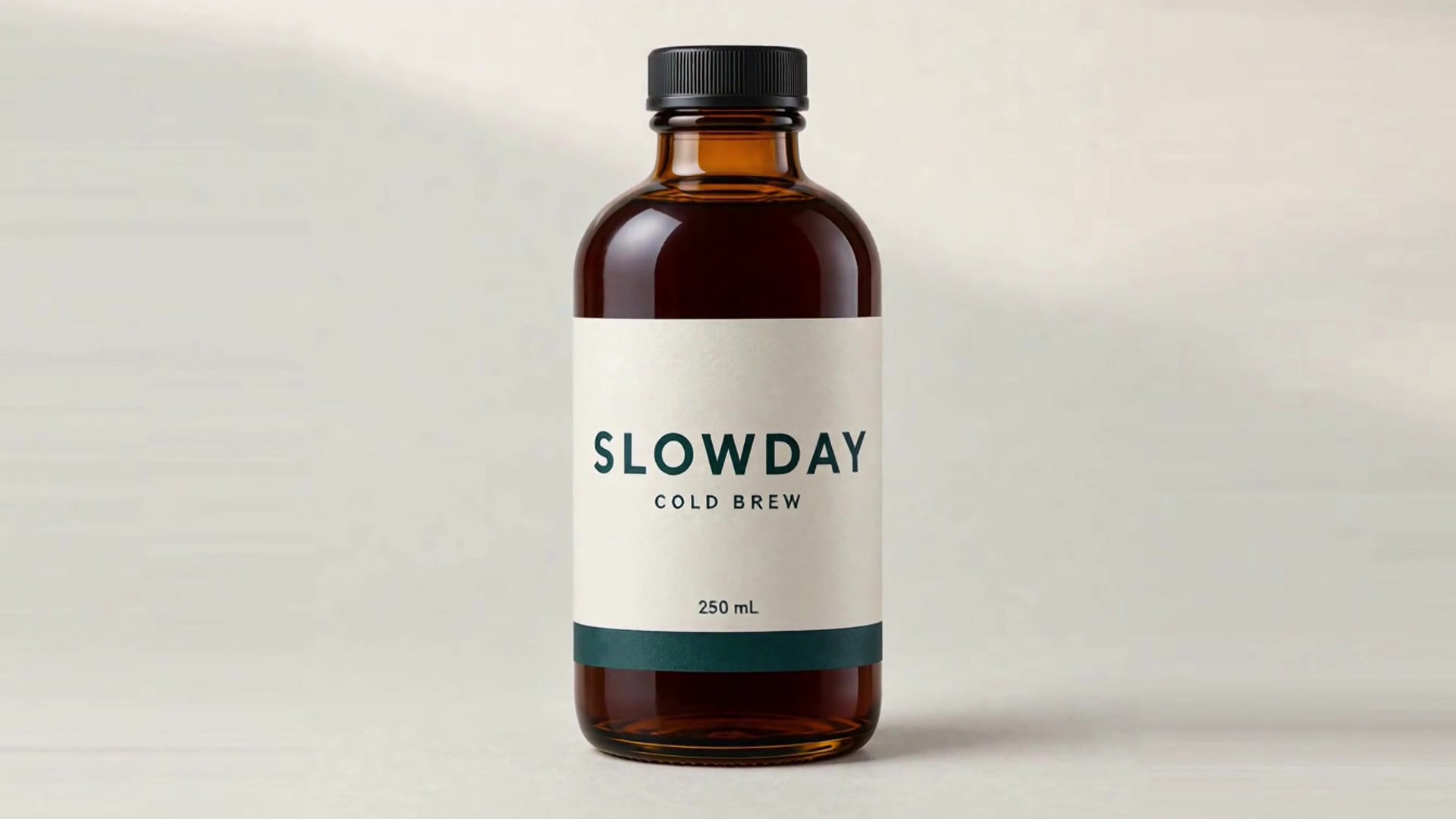
SLOWDAY, for a fictional brand1,553 credits (≈ $15.53)
Product explainer
Shows how a product works and makes it easy to follow.
Film it if it shows a physical product in use.
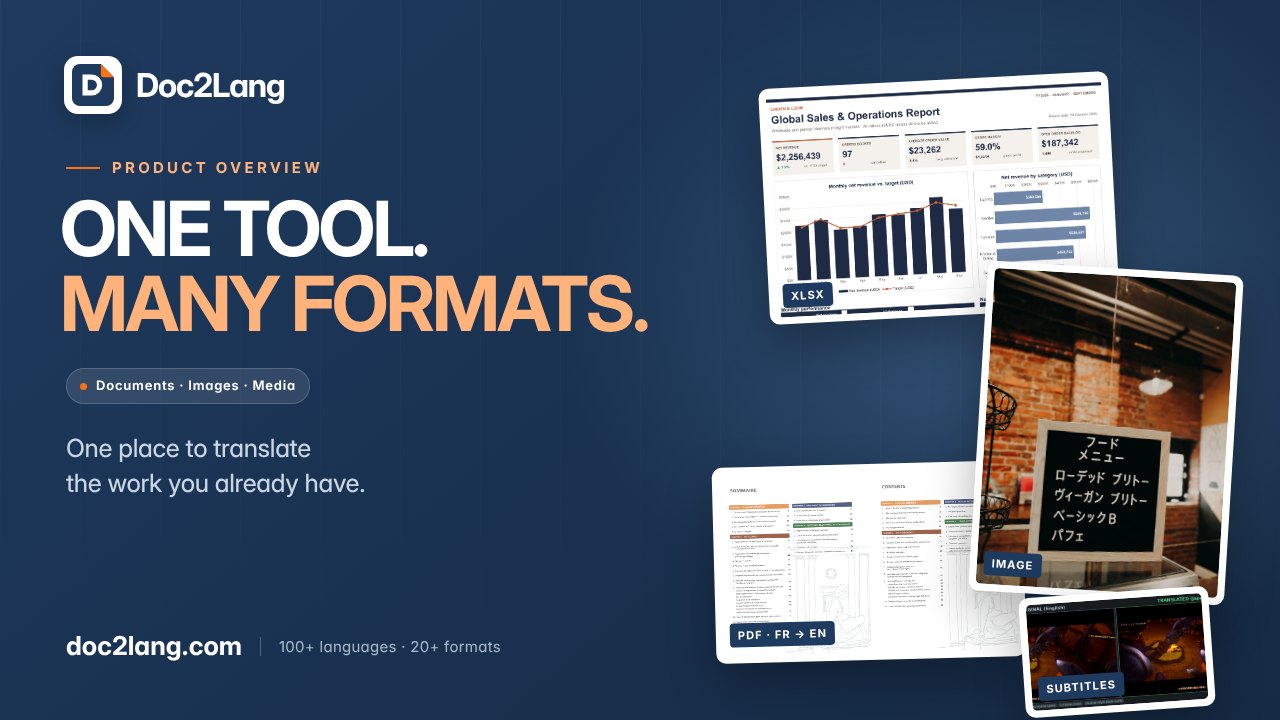
Doc2Lang, a customer's film145 credits (≈ $1.45)

You film it, AI does the edit
| Type | What you film | What AI can do |
|---|---|---|
| Customer testimonialCustomers describe their problem and the results they got. | Your customer on camera, in their own words. A phone or Zoom recording works. | Transcribing the interview, picking the strongest lines, adding captions, name titles, music and supporting visuals. It can also turn a real written review into a quote video. |
| Recruitment and cultureShows job seekers the culture, values and workplace. | Your real employees and your real workplace. | Drafting the interview questions, then editing what you upload with captions, a title card and music, and cutting vertical versions for social media. |
| Training and onboardingTeaches staff, customers or partners a product or process. | Hands-on work with physical equipment, and safety procedures. | Software training from start to finish: a screen recording made with your go-ahead, narration and captions. A policy or process document turned into an explainer. An AI presenter, within the rules below. |
| Event videoShows the key moments and takeaways of an event. | The event itself. | A highlight reel cut from your footage, with captions and a title card. The teaser or invitation before the event can be made entirely with AI. |
When you've filmed something yourself, upload it to the project: up to 20 files with each message, each up to 5 GB. You film the interview; AI can handle the cut, captions and music.
What AI shouldn't do in a corporate video
- Don't stand in for real people. Never use an AI avatar or a generated face as a customer or an employee.
- Don't fake real places. Never pass off a generated scene as your actual office or event: it misleads customers and job seekers.
- Ask before changing what someone said. Get the person's consent before re-syncing their lips or dubbing their interview into another language.
- Be open about AI presenters. If an avatar presents a video, build it from a photo the person agreed to, or label it as an AI presenter.
What a corporate video should include
Production companies' guides name the same few things. Here they are, with how our three films handled each.
- One purpose and one audience. Decide what the video is for and who will watch it, then speak to them directly. Doc2Lang's brief asked for a 72–80-second overview for first-time visitors and YouTube viewers.
- A simple message. One clear message that's easy to follow. Doc2Lang puts its message in the cover title: “One tool. Many formats.”
- Your brand, in plain view. Who you are and what you do, with the colors, logo and products people recognize. SLOWDAY takes its palette from the packaging: amber, ivory, deep teal and black.
- What the viewer gets. The benefit to the viewer, shown rather than claimed. Doc2Lang shows real before-and-after files from its website instead of describing them.
- An emotional hook. A story people feel, not a list of facts and features. SLOWDAY moves from a hot, busy street to a quiet glass of cold brew before it shows the bottle.
- Sound that fits the picture. Voice, music and sound chosen together with the images. SLOWDAY's first cut had music but no scene sounds; two rounds of feedback added the ice, the pouring and the street and room around them.
- Captions. Many people on social media watch with the sound off, so put the words on screen too. Doc2Lang's film carries English subtitles in the picture, with an SRT file to download.
- A clear next step. Tell viewers what to do after watching. Doc2Lang ends on the website's upload, preview and download steps, so viewers see how to start.
How long should a corporate video be?
It depends on the type and where the video will play. These are the lengths Lemonlight[1] suggests, next to our films of the same type:
| Type | Suggested length | Our film |
|---|---|---|
| Brand overview | 2–3 minutes | Vividemo brand film, 0:59 |
| Product explainer | 60–90 seconds | Doc2Lang explainer, 1:17 |
| Customer testimonial | 1–2 minutes | None |
| Training | Up to 5–10 minutes when necessary | None |
Whatever the type, keep it short: under three minutes,[2] and ideally two minutes or less unless the topic needs more.[1] Our three films run 28, 59 and 77 seconds, all inside those limits. The brand film is shorter than the 2–3 minutes suggested for a brand overview.
How corporate videos are made
A production company works in three stages:[1]
- Pre-production, 1–2 weeks. Goals and creative direction, the script and storyboard, casting and locations.
- Production, 1–3 days. Filming and directing, lighting and sound, interviews and B-roll.
- Post-production, 2–4 weeks. Editing, motion graphics, music and sound design, then approvals and revisions.
That adds up to 4–8 weeks for most projects, and 10–12 weeks or more with several locations, a lot of animation or a series of videos.[1]
With AI: how the Doc2Lang explainer was made
There's no shoot. You write the brief and review the cuts; the agent plans, makes and edits the video. Here is what happened on Doc2Lang:
- The brief. A 72–80-second English product overview for first-time visitors and YouTube viewers, with a suggested narration script, a navy-and-orange look, English subtitles and real before-and-after samples from doc2lang.com.
- The first cut, 51 minutes after the brief. Four short follow-up messages came in while it was being made: check each sample's real translation direction and use “ONE TOOL. MANY FORMATS.” as the cover title, keep the official demo labelled as a demo, give the media section a positive headline, and lock the version.
- One round of revisions, 17 minutes. Three changes: open by naming Doc2Lang and saying what it does, keep the sample cards in their original proportions, and use clean pages for the Word example.
The English film used 145 credits: 126 for the first cut and 19 for the revision. Read the Doc2Lang case study for the full story.
How much does a corporate video cost?
Production companies publish estimates rather than price lists. Here is what two production companies and one review site publish, in their own words; we read each page on . None of them are Vividemo prices.
| Source | Published price | Timeline |
|---|---|---|
| Lemonlight[1]Production company | $5,000–$50,000+A typical corporate video budget | 4–8 weeksFrom concept to delivery |
| Vidico[3]Production company | $1,000–$5,000 per finished minuteFor standard professional work. Its four tiers: AI-generated and DIY $100–$3,000, basic $1,500–$5,000, mid-range $5,000–$20,000, premium $20,000–$100,000+ | 4–8 weeksFrom concept to delivery |
| Clutch[4]Reviews by verified clients | Typically under $10,000Average $42,280.92 per project, across every kind of video production | 5 monthsTypical project |
Lemonlight's and Vidico's figures are their own estimates for corporate video in general, not quotes. Clutch's come from reviews by verified clients and cover every kind of video production, not only corporate videos. Vidico adds that most professional corporate work lands in its middle two tiers.
What three AI-made films cost
We make Vividemo, an AI video maker that charges in credits, so these three are our own numbers. Credits are metered usage, not a fixed price. The brand film's and Doc2Lang's are as billed; SLOWDAY's are its usage re-priced at the rates of November 11, 2026, as in our commercial cost guide. Times are the agent's working time, not counting time spent waiting for a reply.
| Film | Made from | Credits | Time |
|---|---|---|---|
| Vividemo brand film0:59 · Brand film | A short brief | 2,671 ≈ $26.71 | 15 min to the first cut2 min for one round of revisions |
| SLOWDAY ad0:28 · Promotional video | One product photo and a short brief | 1,553 ≈ $15.53 | 68 min to the first cut |
| Doc2Lang explainer1:17 · Product explainer | A detailed brief and real website samples | 145 ≈ $1.45 | 51 min to the first cut17 min for one round of revisions |
For the brand film, the story, the cast and six key frames were each approved before any video was made. Those rounds are part of its 2,394 credits for the first cut; the revision used 277. To budget a film like it, our pricing page plans 2,500–3,500 credits for 60 seconds of H3 Max at 1080p, which allows for production work and limited revisions.
Dollar amounts use the base rate of 100 credits per $1; plans work out to about 116–142 credits per $1. For more bills by format, see our explainer video cost guide and commercial production cost guide.
Make your own corporate video
Describe the video you need, or start from stills, a product photo, your website or footage you filmed. The project page shows the credits used as the work goes.
Hire a production company or use AI?
Decide by what has to be on camera.
Hire a production company when you need
- Real people on camera: customers, employees or leaders, as in testimonials, recruitment videos and interviews. Viewers trust a real customer or employee more than an AI avatar.
- Real places: your office, your factory floor or your event.
- Your physical product in use, exactly as it is.
Use AI when the video can be built from what you have
- A written brief for a brand film, like ours.
- Your website or documents for a product explainer, like Doc2Lang's.
- One product photo for a promotional video, like SLOWDAY.
Many corporate videos need both: you film the people and places, and AI handles the edit, captions and music. For what a production fee pays for besides the footage, see what a studio fee buys that credits don't.
Corporate video FAQ
What are corporate videos called?
Corporate video, corporate film and business video are names for the same thing. Most corporate videos go by what they're for: brand films and company overviews, promotional videos, product explainers and demos, customer testimonials, training and onboarding videos, recruitment videos and event videos.
How much does it cost to make a corporate video?
Production companies' own estimates put most corporate videos at $5,000 to $50,000 or more (Lemonlight), or $1,000 to $5,000 per finished minute for standard professional work (Vidico); see their prices next to what three AI-made films cost in credits.
Can AI make a corporate video?
Yes, when the video can be built from material you already have. The three films in this guide were made from start to finish with Vividemo: a brand film from a short brief, a product explainer from a brief and samples from the product's website, and a promotional video from one product photo and a brief. Testimonials, recruitment and event videos, and training that shows hands-on work, need real people and places on camera, so you film those first; AI can then handle the cut, captions and music. Don't use an AI avatar or a generated face in place of a real customer or employee.
Watch the brand film this guide opens with, or compare plans and one-time credit packs.
Sources
Numbered in the order this guide first cites them. Every page was checked on .
- Lemonlight, “What is Corporate Video Production and How Do You Get It Right?” https://www.lemonlight.com/blog/corporate-video-production/
- Ginger Digital, “What Should be Included in a Corporate Video?” https://ginger-digital.co.uk/blog/video-marketing/what-should-corporate-video-include/
- Vidico, “Corporate Video Cost: Pricing Guide for 2026” https://vidico.com/news/corporate-video-cost/
- Clutch, “Video Production Pricing Guide 2026” https://clutch.co/agencies/video-production/pricing